Win8 搜尋功能強大,支援自訂任意日期區間:
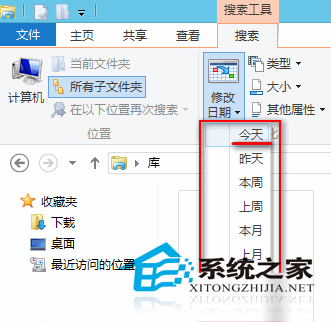
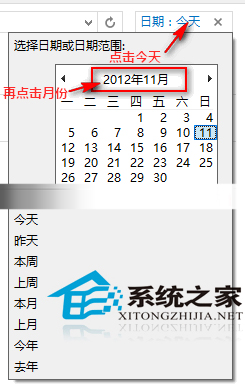
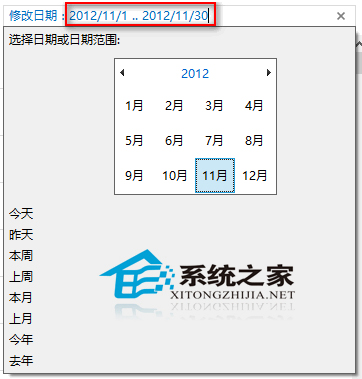
2012/10/11 .. 2012/11/11 即可鎖定該月份檔案。Win8 索引式搜尋支援固定區間一鍵選擇與任意區間手動輸入雙模式,靈活應對各類時段檢索需求。
Win10 創作者更新 Build 14986 官方 ISO 鏡像釋出,含家用/專業/教育/企業版,支援乾淨安裝
Win10 測試版為何難產?內測負責人曝:尚存一關鍵 Bug 未修
Win7 Word 啟動提示「安全模式」修復:刪除損壞 Normal.dot 範本檔一鍵解決
Windows 7 IE 關閉「記住密碼」提示:停用表單自動完成密碼儲存
Windows 7 必學 15 組超實用快速鍵:操作效率倍增
Win10 重裝系統後無法上網?多為網卡驅動未安裝,透過官網/驅動精靈/另一台電腦下載驅動解決