Windows XP Windows 7 Windows 2003 Windows Vista Windows 綜合教學 Linux 系統教學
Windows 10 Windows 8 Windows 2008 Windows NT Windows Server 電腦軟體教學
您现在的位置: Windows教程網 >> Windows教程 >  >> Windows 綜合教學 >> 關於 Windows

Windows 7 必學 15 組超實用快速鍵:操作效率倍增

編輯:關於 Windows

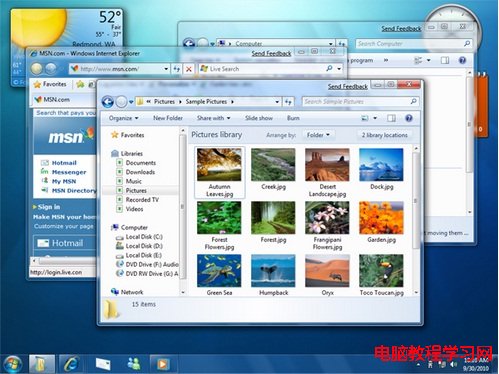
Win7 融入大量人性化快速鍵,善用能大幅提升操作效率:
  1. Ctrl+Shift+N:新增資料夾(資料夾視窗中)
  2. Ctrl+Shift+左鍵點擊:以管理員身分執行程式
  3. Shift+右鍵:擴充「傳送至」選單(含個人資料夾)
  4. Shift+右鍵(資料夾空白處):在當前路徑開啟命令提示字元
  5. Win+空白鍵:桌面預覽(鬆開恢復)
  6. Win+方向鍵:視窗移動/最大化/還原/左右半螢幕
  7. Win+Shift+左/右:雙螢幕間移動視窗
  8. Win+T:巡覽工作列縮圖,Enter 切換
  9. Shift+左鍵點擊工作列圖示:開啟同程式新視窗
  10. Win+B:焦點移至系統匣區
  11. Win+P:投影/顯示器切換模式
  12. Win+數字鍵:快速切換/最小化工作列程式
  13. Win+Pause:開啟系統屬性
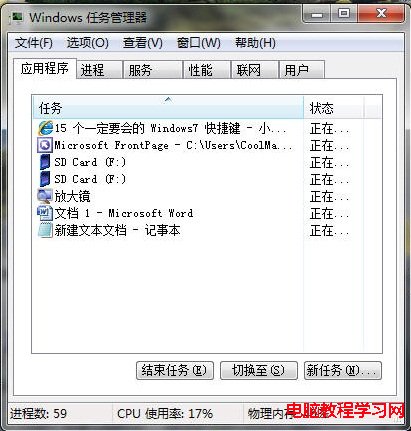
  14. Ctrl+Shift+Esc:直接開啟工作管理器(最實用!)

熟練這 15 組熱鍵,Win7 操作更輕鬆高效。

Copyright © Windows教程網 All Rights Reserved