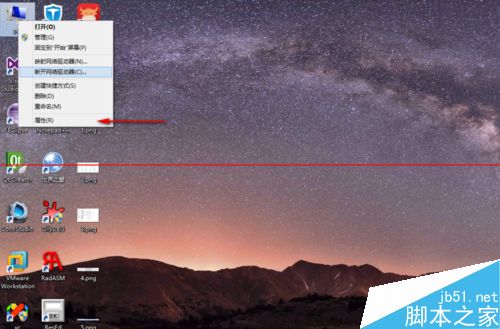
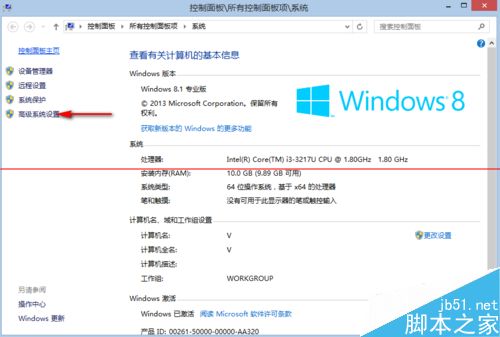
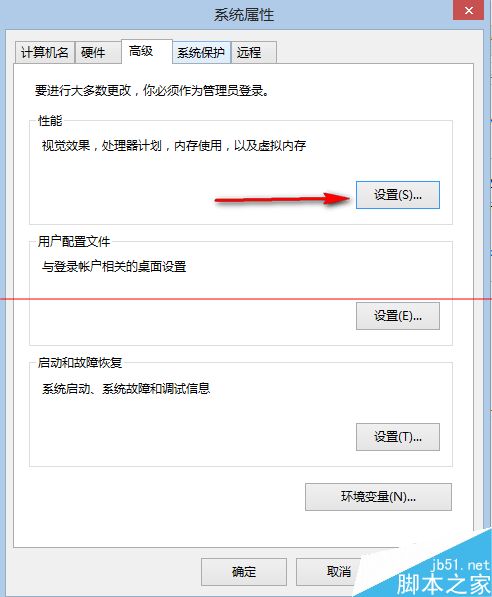
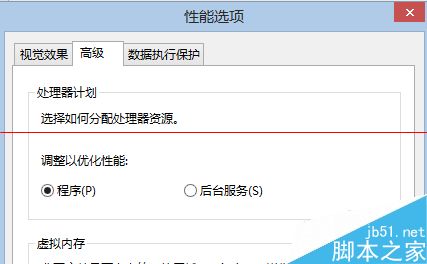
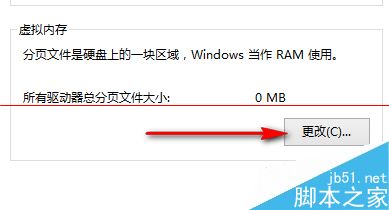
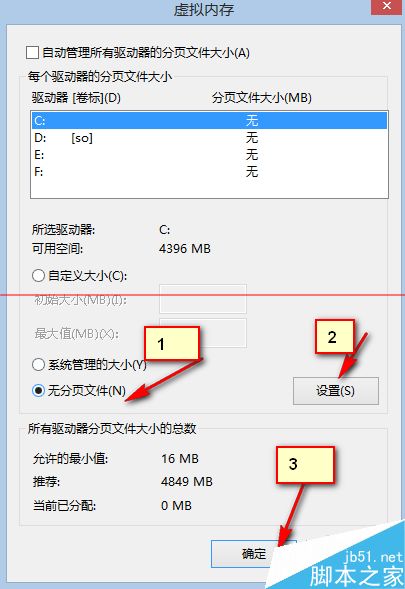
關閉 Win8.1 虛擬記憶體(分頁檔)可減少硬碟讀寫,延長 SSD 壽命,但需實體記憶體足夠大(建議 16GB 以上):
注意:記憶體不足時請勿關閉虛擬記憶體,易導致系統不穩或程式崩潰。
Windows 7 筆電頻繁當機(尤其夏天)的六階段排除法:從工作管理員登出到重灌系統
Win10 清除「快速存取」近期使用檔案,介面更乾淨隱私更安心
Windows 10 安裝過程建立本地帳戶跳過 Microsoft 帳戶登入技巧
Win7 安装“逐鹿工具箱”报错“error launching installer”解决:统一系统区域语言为中文
Win10 十大隱藏功能深度解析:背景捲動、多螢幕縮放、存儲感知、指令提示字元增強、觸控板手勢、Edge 筆記、原生媒體格式、視窗吸附、內建錄影、DirectX 12
Windows 10 快速存取功能完整指南:固定常用資料夾、追蹤近期檔案
解決 Windows 7 無法刪除資料夾的權限問題
CMD 提示「不是內部或外部命令」?環境變數 Path 遺漏系統路徑修補