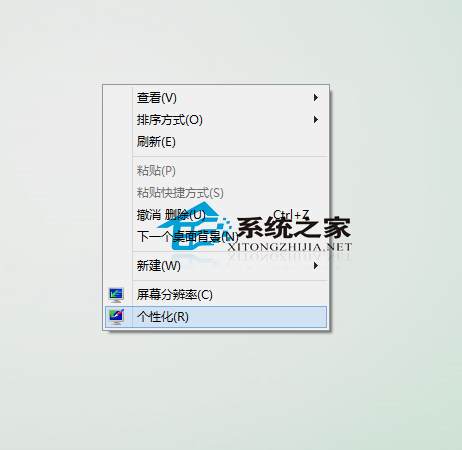
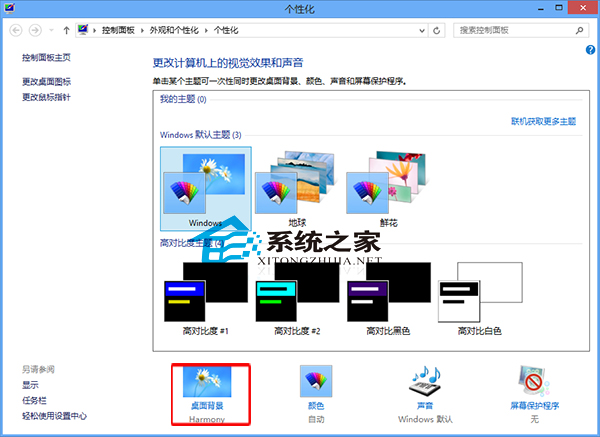
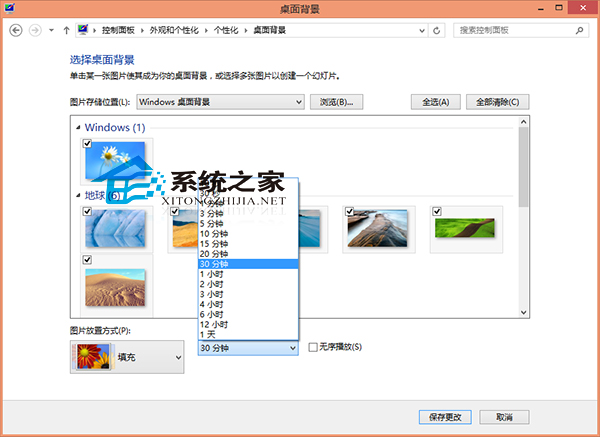
Win8 內建幻燈片功能可自動輪換桌面背景:
若需更豐富圖片庫,仍可使用搜狗壁紙等第三方工具。
Windows 7 登入畫面字體加上陰影效果教學
Windows 8.1 新增語言包完整圖解:控制台 → 時鐘語言與地區 → 新增語言 → 下載語言套件 → 設為主要語言
Win8.1 IE11 安裝廣發銀行密碼控件無法使用?以系統管理員身分執行安裝教學
Win10 無法開啟登錄編輯器提示「檔案系統錯誤 (-1073740771)」完整修復教學
Windows 10 郵件應用程式同步錯誤 0x80070032:已寄出郵件無法同步
Win7 資料夾小黃鎖怎麼移除?權限設定教學
Win8.1 專業版、核心版與企業版差異完整比較:功能、授權與適用對象
Windows 9 (Threshold) 面臨四大挑戰:企業/消費者版本分野、桌面體驗改善、IE 困境、Google 圍堤