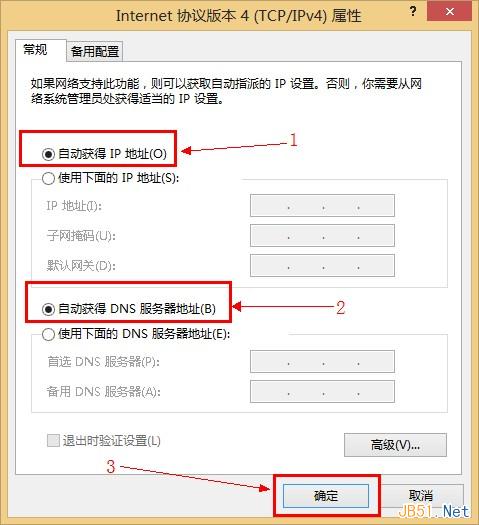
本文說明三代 Windows 系統設定「自動取得 IP 位址」與「自動取得 DNS 伺服器位址」的方法,方便搭配路由器 DHCP 使用。
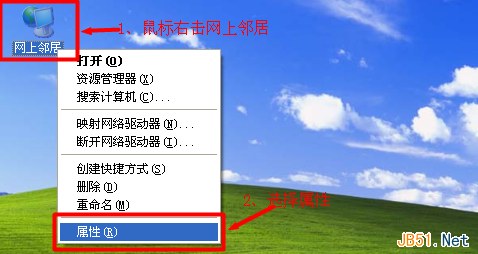
Windows XP:右鍵「網上鄰居」→「內容」→ 右鍵「區域連線」→「內容」→ 雙擊「Internet 通訊協定 (TCP/IP)」→ 選「自動取得 IP 位址」與「自動取得 DNS 伺服器位址」。
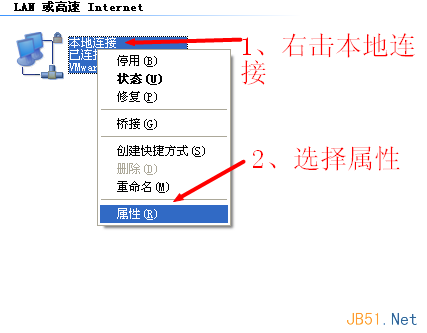
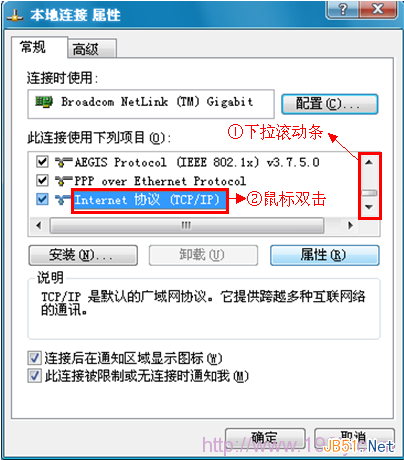
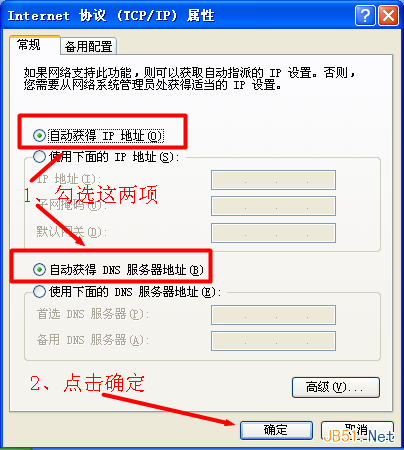
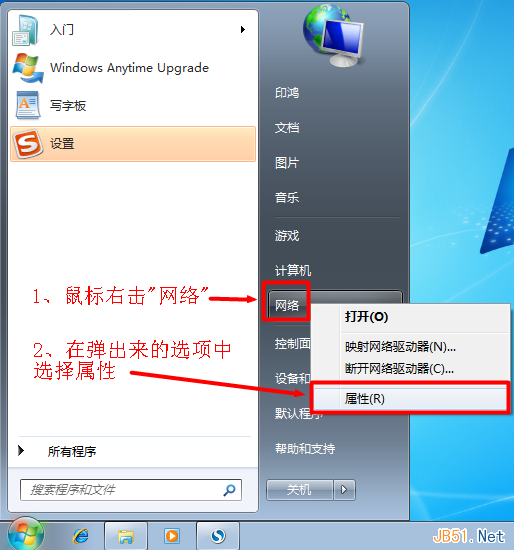
Windows 7:右鍵「網路」→「內容」→「變更介面卡設定」→ 右鍵「區域連線」→「內容」→ 選「Internet 通訊協定第 4 版 (TCP/IPv4)」→「內容」→ 勾選自動取得。
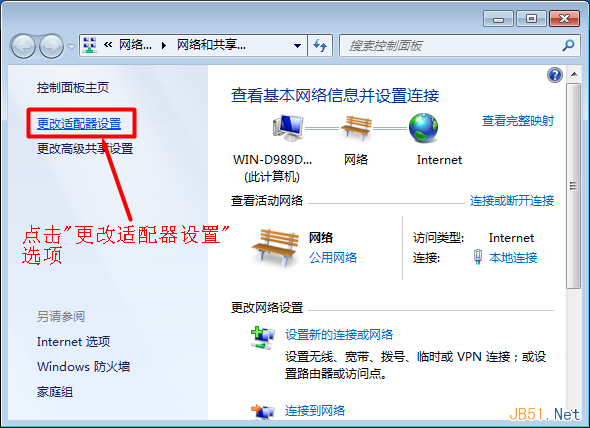
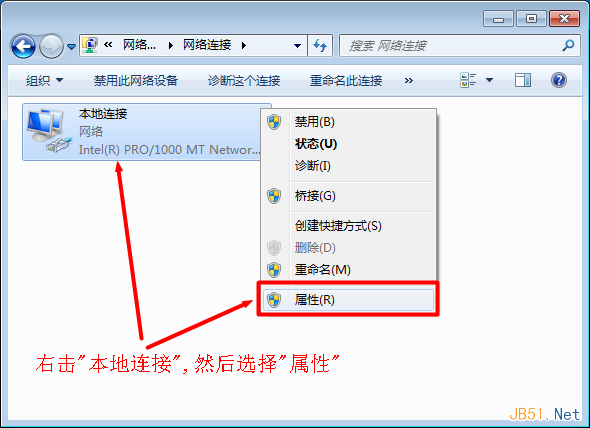
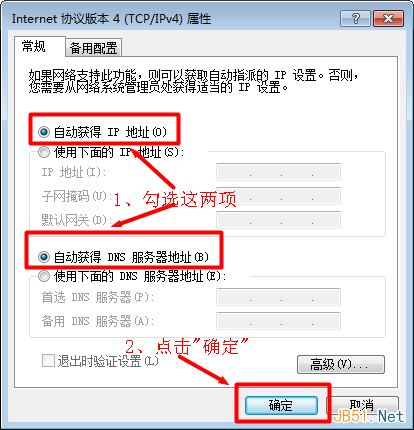
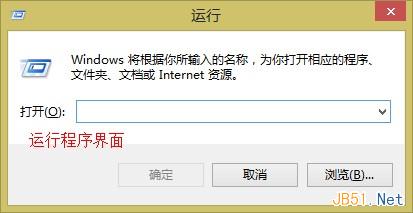
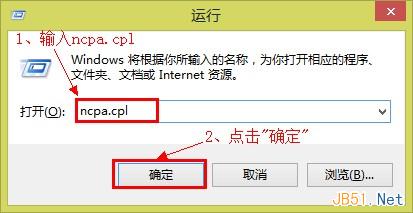
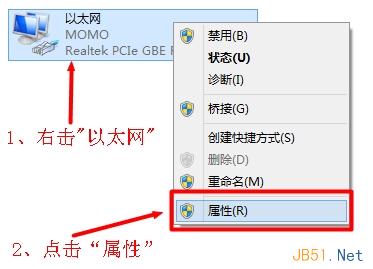
Windows 8:Win + R → ncpa.cpl → 右鍵「乙太網路」→「內容」→ 選「Internet 通訊協定第 4 版 (TCP/IPv4)」→「內容」→ 勾選自動取得。
Win7 執行程式彈出 360se.exe 損壞映像?CMD 批次重註冊所有 system32 DLL 修復
Win8 變更桌面資料夾儲存路徑至非系統盤,減輕 C 盤負擔,透過屬性→位置→移動完成
Win10 Mobile 週年更新 Build 14393.479 現身 Buildfeed:或為下一輪累積更新
Windows 7 修改 DNS 伺服器位址圖文教學:設定 Google DNS 8.8.8.8 / 8.8.4.4
Win10 安裝 Office 2013 完整圖文教學:ISO 掛載、自訂安裝、授權啟用
Windows 8 開啟隱藏 Aero Lite Glass 視覺主題彩蛋教學
Windows 10 如何自訂視窗標題列高度與捲軸寬度?登錄表修改 CaptionHeight 與 ScrollWidth 鍵值