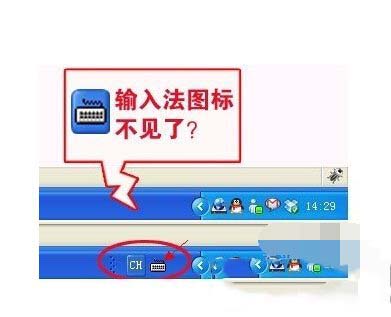
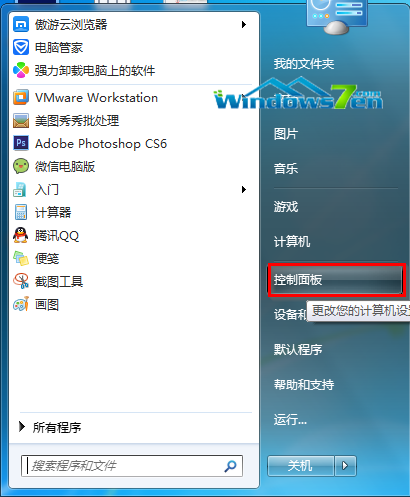
WinXP 輸入法圖示消失是常見問題,提供五種遞進解法:
ctfmon.exe
Win + R → regedit → HKEY_CURRENT_USER\Software\Microsoft\Windows\CurrentVersion\Run → 新增字串值 ctfmon.exe = C:\Windows\System32\ctfmon.exe → 重開機。
regedit
HKEY_CURRENT_USER\Software\Microsoft\Windows\CurrentVersion\Run
C:\Windows\System32\ctfmon.exe
建議依序嘗試,方法一、四最常見有效;方法五為徹底修復開機自動啟動。
微軟建議 Win 10 開發者善用自適應磚塊與互動式通知,提升使用者參與度
Windows 設定中文檔名按筆畫排序教學
Win10 Build 9841 如何升級到 Build 9860?Modern 介面 Windows Update 手動檢查升級教學
Win10 版本號怎麼看?三種快速查詢方法(winver、CMD、登錄檔)
Win7 玩《飢荒》出現 error during initialization?更新顯卡驅動 + 裝 DirectX 9.0c + 開啟硬體加速 + 取得 TrustedInstaller 權限替換 DLL 完整解法
Windows 10 郵件應用程式同步錯誤 0x80070032:已寄出郵件無法同步
微軟公布 Windows 10 正式版服務生命週期 10 年:主流支援至 2020/10/13,延伸支援至 2025/10/14
Win10 正式版 ESD 升級映像官方下載地址彙總 (64位/32位) 含轉換工具