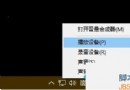
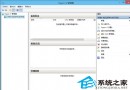
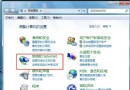
開機發現桌面一片空白、所有圖示不見蹤影,重開機也無效。這是 Win7 常見問題,通常由「顯示桌面圖示」被取消勾選、群組原則設定錯誤或 explorer.exe 異常導致。提供三種遞進式解法。
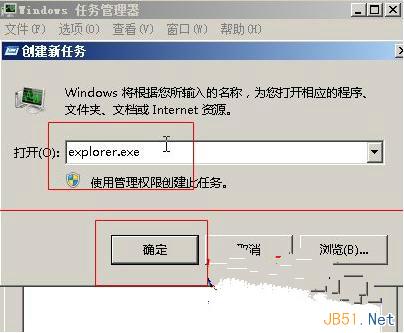
explorer.exe
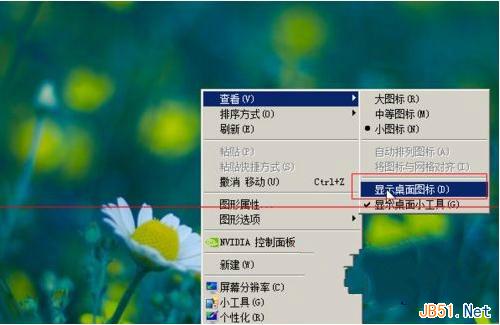
桌面空白處右鍵 → 「檢視」 → 勾選「顯示桌面圖示」。
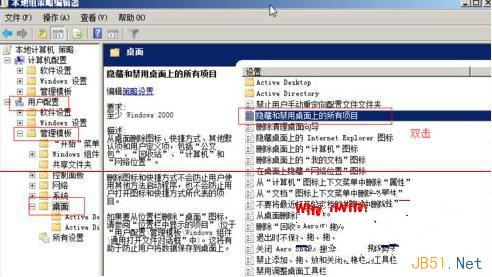
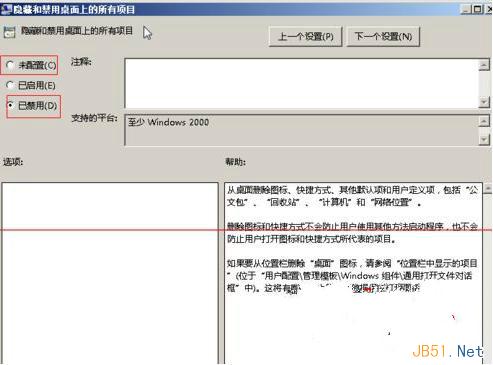
gpedit.msc
依序嘗試上述方法,通常能完美恢復桌面圖示。若問題持續,建議檢查是否有第三方優化軟體誤刪系統元件。
Windows XP 故障排除實用指南:七大核心救援技巧
360 升級 Win10 檢測不通過:IBM 電源管理驅動舊版本導致?驅動精靈卸載舊驅動即可解決
Win8 出現 Access Violation At Address 錯誤?為應用程式啟用 DEP (資料執行防護) 即可解決
Win7 升級 Win10 TH2 後無法回滾?微軟新默認策略引發爭議
Win7 全螢幕看影片上下出現黑邊?註冊表修改 Scaling 數值 4→3 徹底去黑邊
Windows 10 建立系統還原點教學:系統故障快速回溯救援
Windows 7 設定不待機/不睡眠:電源選項完整配置
Windows 8/8.1 OneDrive 雲端資料夾重新命名操作指南