Win7 IE 瀏覽器輸入網址時會自動彈出建議清單,雖方便快速開啟常用網站,但想開新網站時常導致輸入錯誤。本文教導如何關閉 IE 自動提示功能。
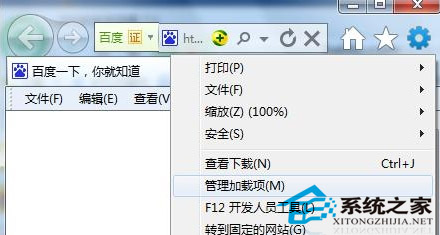
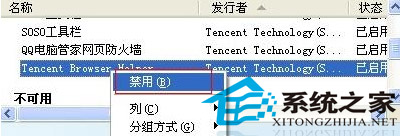
完成後重新啟動 IE,嘗試輸入常用網址,自動提示應不再出現。有需求的使用者請自行操作驗證。
WinXP 無法安裝 .NET Framework 解決法:停止 WuAuServ、重命名 SoftwareDistribution、註冊表權限全控
9 月 20 日微軟中國 Win10 粉絲體驗會北京站名單揭曉:46 位幸運粉絲獲專屬邀請碼
Win7 提示「此 Windows 副本不是正版 7601」四大原因與對應解決方案
Win7 螢幕畫面旋轉 90 度變橫向?顯示設定一鍵旋回正向
Win10 鎖定螢幕兩大法:Win+L 秒鎖、開始選單手動鎖定,保護隱私防偷看
Win7 32 位旗艦版:建立批次檔 (.bat) 一鍵解除鎖定登錄編輯器