Windows 7 刪除多餘磁碟分區並合併空間:
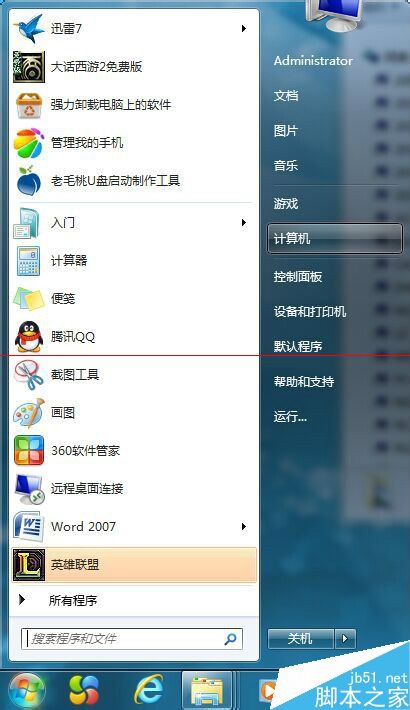
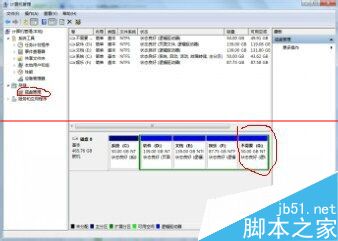
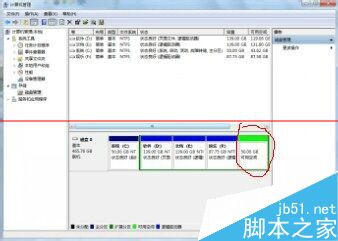
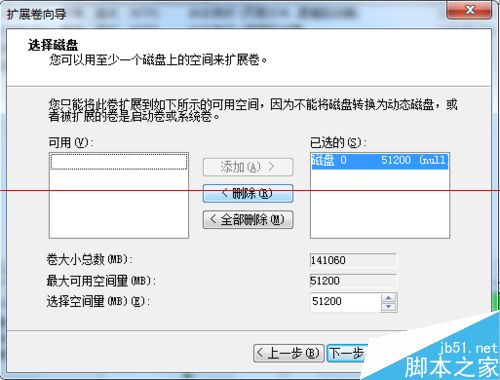
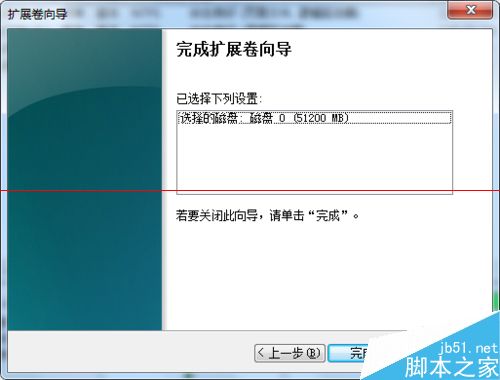
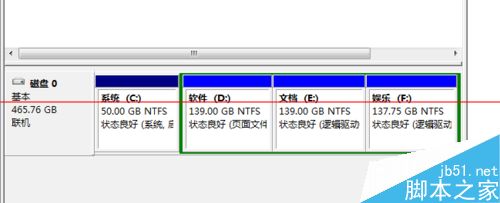
注意: 刪除磁碟區會清除所有資料,操作前務必備份。
Win7 旗艦版 ISO 檔案大小多少?原版 vs Ghost 版、32/64 位元完整對照
Win10 硬體需求曝光:最低配置不高於 Win7/Win8,老電腦也能跑
Win10 Build 10074 更名「Insider Preview」:RTM 版本指日可待
Win7 移除右鍵選單「相容性疑難排解」:匯入登錄檔刪除 ContextMenuHandlers
免費升級 Windows 10 教學:360 安全衛士一鍵升級,盜版也能變正版
Windows 10 Mobile 10512 更新與修復內容完整彙總(持續更新)