針對 Win8 無開始選單等易用性問題,聯想官方教程指導將預裝 Win8 筆電全新安裝 Win7,核心難點在 UEFI→Legacy 模式切換與 GPT→MBR 分區重建。
關鍵步驟
- 進入 BIOS:開機連按 F2 (或 Fn+F2),Y400/Y500 按一鍵恢復鈕進入選單選 BIOS Setup。
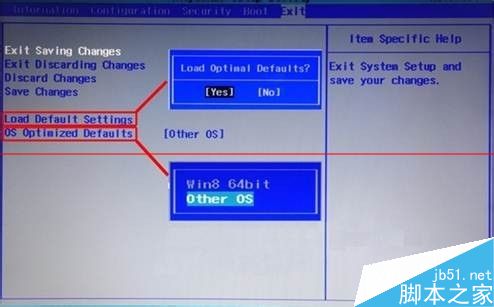
- 關閉 UEFI 優化:Exit → OS Optimized Defaults → 改為 Other OS → Load Default Settings → F10 儲存重啟。
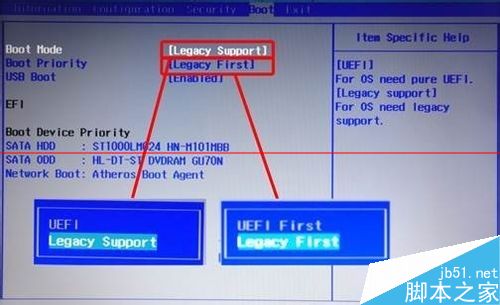
- 啟動模式改 Legacy:重啟再進 BIOS → Boot → Boot Mode: Legacy Support → Boot Priority: Legacy First → F10 儲存重啟。
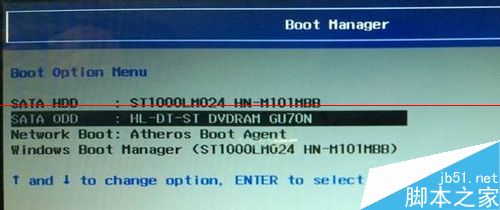
- 啟動 Win7 安裝光碟:重啟按 F12 進入 Boot Menu → 選光碟機/USB 光碟機啟動。
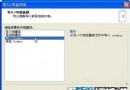
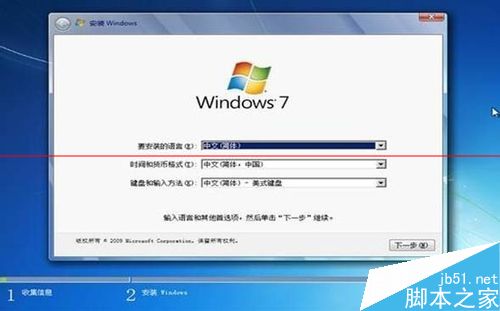
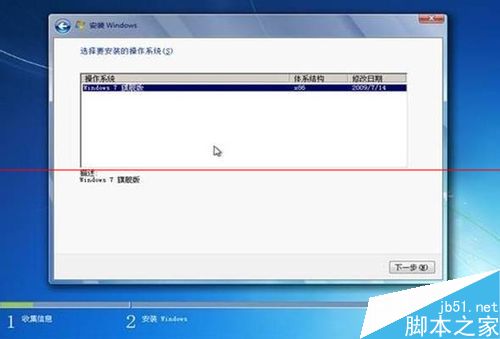
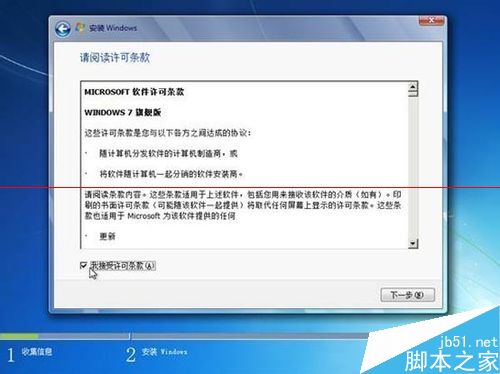
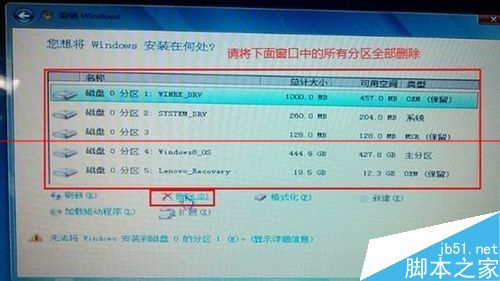
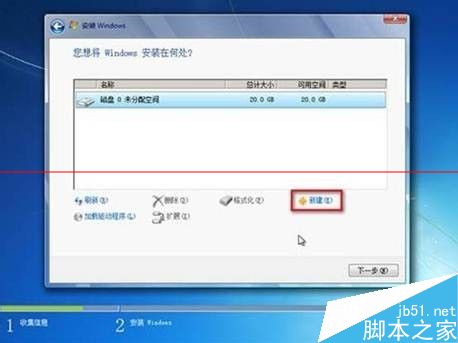
- 分區重建:安裝介面 刪除所有現有分區(資料全失,先備份)→ 新建分區 (MBR 限制 4 主分區,超過部分進系統後再劃分) → 格式化 → 選擇系統分區安裝。
後續必要工作:安裝晶片組、顯卡、聲音、網卡、觸控板、電源管理等驅動(官網下載對應 Win7 版本),啟用聯想經典開始選單工具恢復傳統操作習慣。