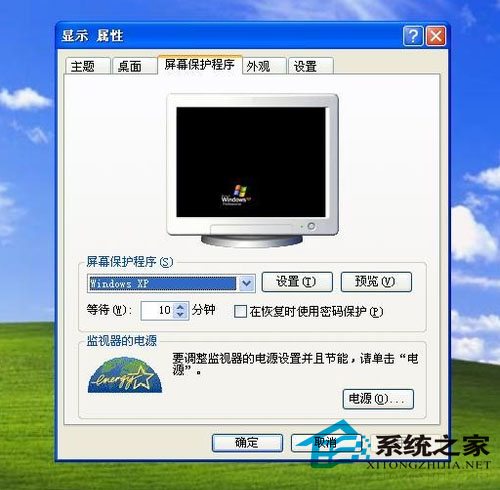
WinXP 「活動桌面」功能允許將 HTML 網頁設為螢幕保護程式,待機時自動載入網頁內容(如股市行情、新聞輪播、即時監控儀表板)。
.html
此功能同樣適用於 Win98/Win2000。Vista 以降移除活動桌面架構,若需類似功能需第三方工具或自行開發 .scr 螢保程式。
Windows 10 10149 手機預覽版在慢車道開始推送:Edge 更名、UI 改進、Cortana 完善
Win8 如何設定擴充顯示?Win+P 快速切換投影模式教學
解決安裝 Windows 7 SP1 錯誤 0x800F0A12:啟用磁碟自動掛載
WinXP 攝影機無法建立視訊預覽?三大解決方案完整教學
Windows 10 首版 Build 10240.17071 累積更新:修復 IE11、BitLocker、夏令時間等錯誤
用 Windows 畫圖工具給圖片加浮水印:免安裝軟體、透過 Word 製作透明背景
Windows 10 發布會直播觀看指南:時間、管道、亮點一次看
錘子科技確認:新機今夏發布、定名不叫「小錘子」、主打年輕市場