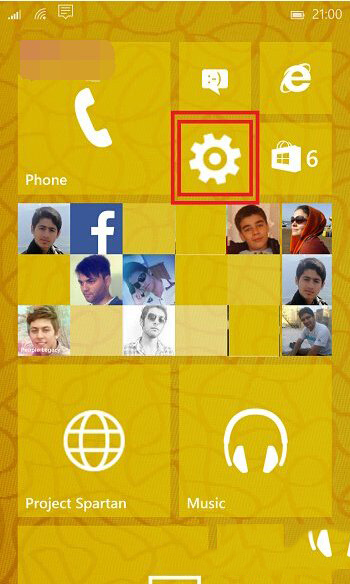
Win10 Mobile 升級後預設隱藏鍵盤語言切換按鈕,多語言用戶需長按空白鍵才能切換,操作不便。透過設定啟用「永遠顯示多語言切換按鈕」,即可在鍵盤左側常駐顯示地球圖示,單擊即時切換。
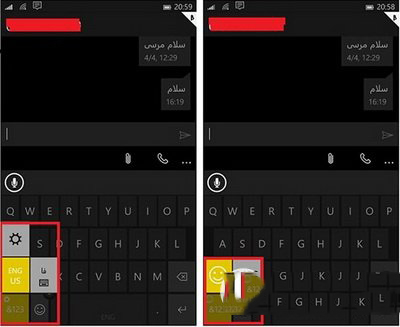
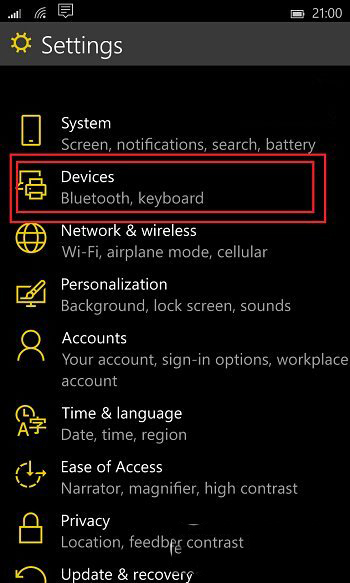
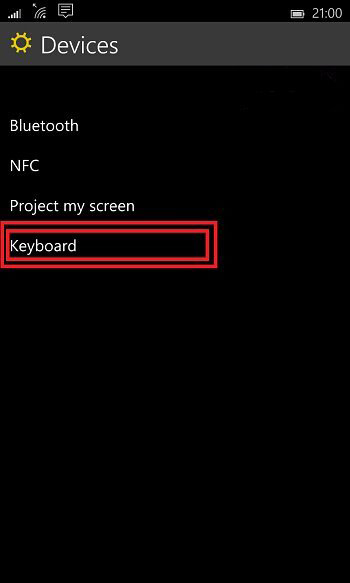
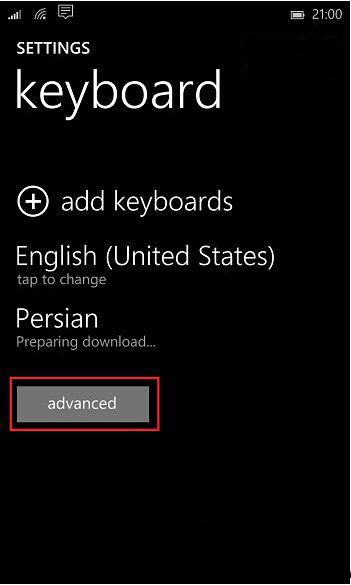
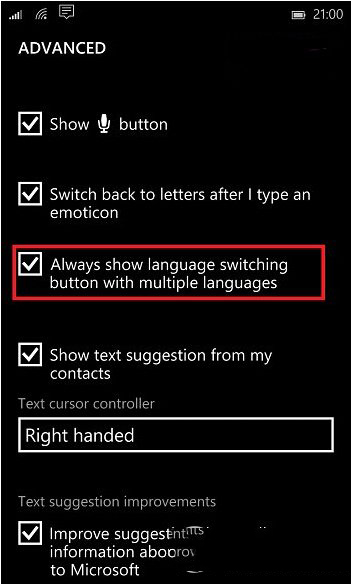
設定後鍵盤左側常駐語言切換鍵,大幅提升多語言輸入效率。
Win10 磁碟 100% 占用、卡頓、效能不佳全方位優化:Cortana、服務、Wi-Fi Sense、磁碟優化排程
微軟公布 Windows 10 正式版服務生命週期 10 年:主流支援至 2020/10/13,延伸支援至 2025/10/14
Win10 乾淨安裝只需三步!Microsoft 官方「易升」工具一鍵完成
Win7 休眠後自動重開機?關閉喚醒定時器與網卡喚醒功能解決
Win10 Build 10061 上手體驗圖賞:新主題色彩、虛擬鍵盤、回收站圖示、任務檢視改版
Windows 10 開始選單無法運作/打不開?兩大核心修復方案完整教學
Win8 Metro (Modern UI) 應用程式安裝失敗/掛起?啟用 Windows Update、防火牆、清理快取三大核心修復