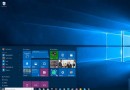
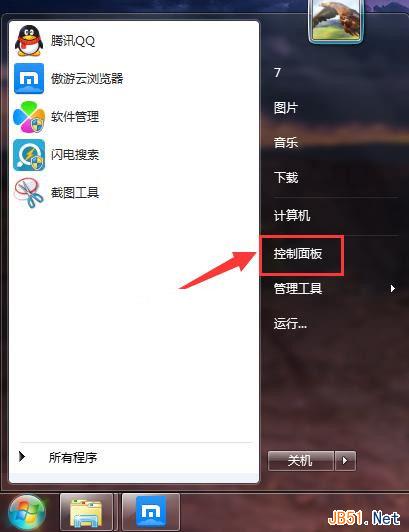
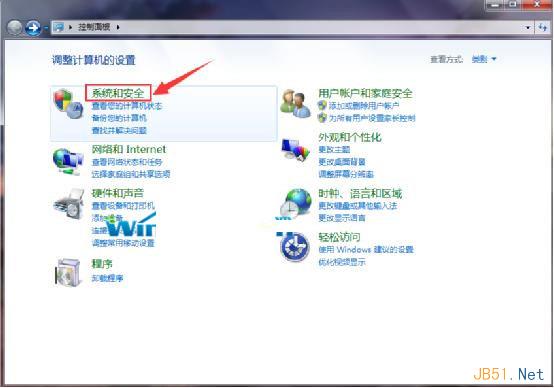
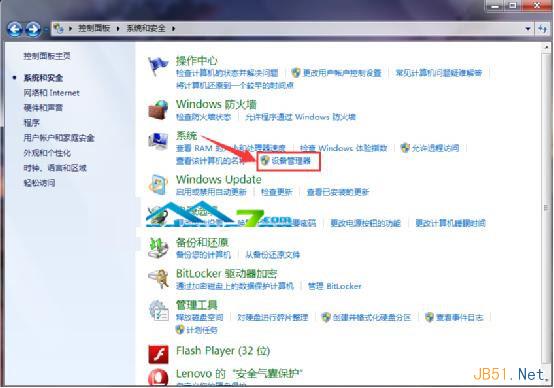
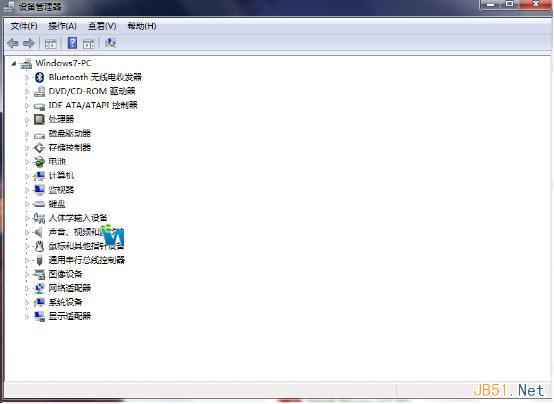
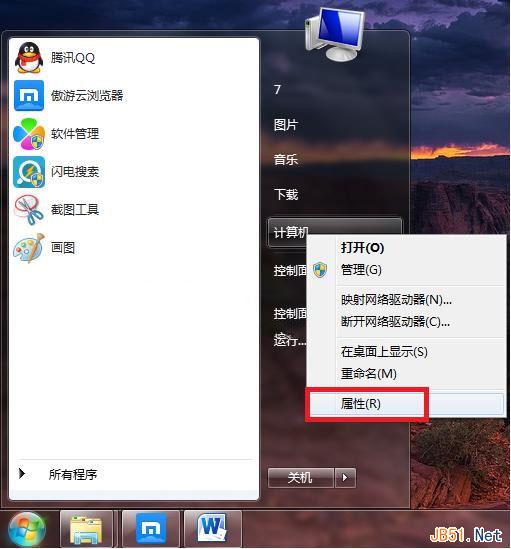
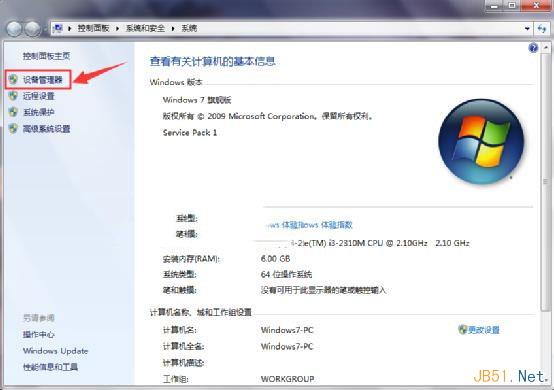
裝置管理員可檢視/變更裝置屬性、更新驅動、設定資源、解除安裝裝置。兩法開啟:
方法二步驟較少,建議常用者採用。
Win10運行安卓APK應用實戰:BlueStacks模擬器安裝與兼容性優化全攻略
Win8/8.1 如何關閉觸控板?安裝 Synaptics 驅動 + 修改登錄檔 DisableIntPDFeature=3 禁用內建觸控板
Win10 RS2 Build 15002首發高DPI完美支持:開始菜單文件夾分組、系統級DPI縮放、多顯示器智能適配
Win10 喚出 Charms 列 (超級按鈕) 操作指南:Win+C 快捷鍵
Windows 修改檔案預設開啟程式:控制台→預設程式→設定關聯完整教學
Windows 10 10074 啟用暗黑模式:登錄檔新增 SystemUsesLightTheme = 0 即可切換