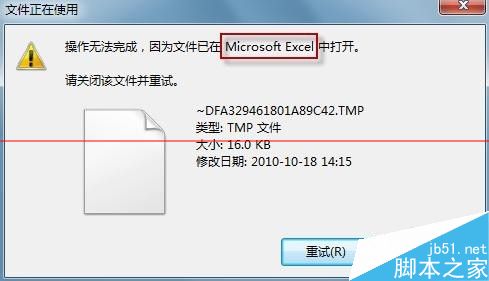
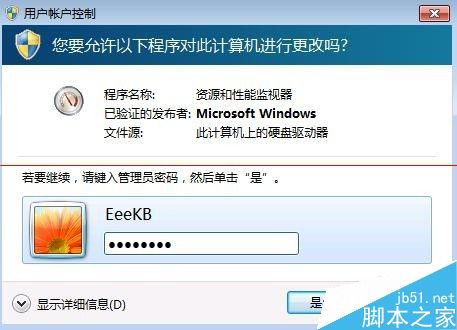
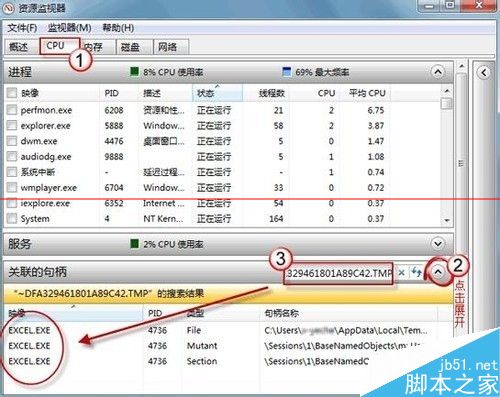
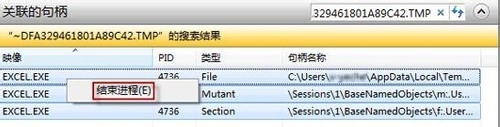
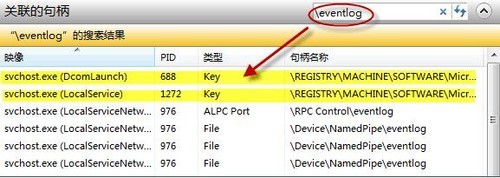
Windows 7 刪除檔案提示「檔案正在使用中」,透過「資源監視器」查找佔用進程並結束即可釋放檔案鎖定。
進階用法: 同樣方法可查詢「登錄機碼」被哪個進程佔用(搜尋機碼路徑)。Vista/XP 無內建資源監視器,可用第三方工具 Process Kill 替代。
Windows啟動失敗 0xc00000e9?PE進入修復啟動引導,重啟恢復正常開機
Win10 網卡驅動無法安裝或安裝出錯?驅動人生網卡版離線安裝與修復完整方案
Win10 頻繁彈出「允許此應用對裝置進行變更」?降低 UAC 等級或關閉用戶帳戶控制
Windows Vista 常見問題與實用技巧:從資訊查詢到自動登入完全指南
Win 10 正式版 10240 更新包 KB3074683 官方下載:含 1GB 以上更新內容
Win10 輸入法設定在哪裡?三條路徑通往「語言選項」自訂預設輸入法
Win10 防火牆消息通知怎麼關閉?安全性與維護中一鍵屏蔽
Windows 10 全新視窗陰影效果:選取視窗顯示投影,未選取視窗無陰影