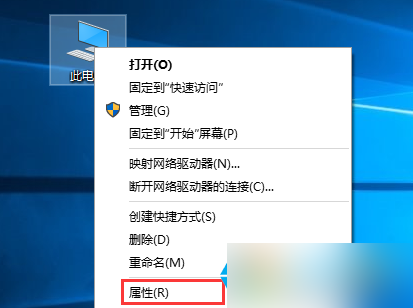
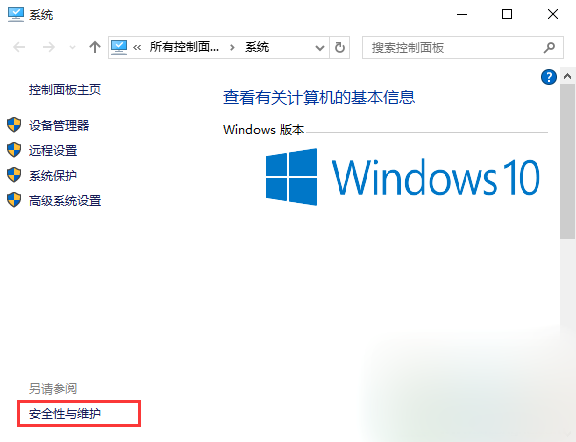
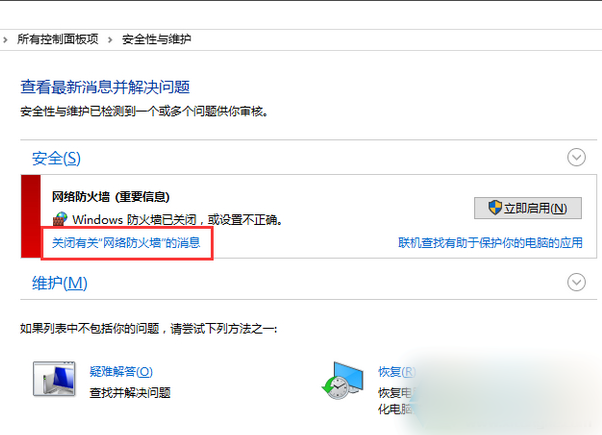
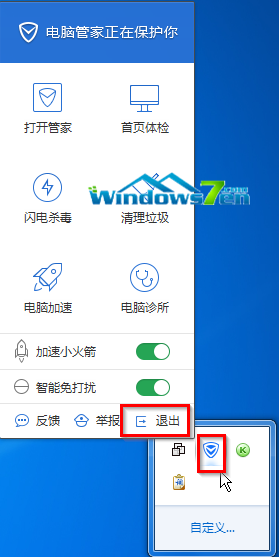
關閉防火牆後 Win10 持續彈出消息通知,屏蔽方法:
同理,關閉 Windows SmartScreen 後的通知也可用相同方式屏蔽。
Win7 關機出現「您可以安全地關閉電腦」的五大原因與解決辦法
Win10 修改電源設定提示「某些設定由系統管理員管理」?群組原則修改按鈕動作解決方案
Win10 Build 10134 家庭版升級專業版過程曝光(含中文版截圖)
Win7 系統耳機音量太小解決辦法:啟用響度均衡
Win10 免費升級通道關閉了還能升級嗎?「時光倒流」法延長免費升級
Win10 Mobile 10549 新功能上手體驗影片:DPI 縮放、多膚色 Emoji、訊息多行編輯
一鍵解決Win10驅動與裝機軟體:驅動人生6.2.27.106完美支援Win10驅動修復+軟體安裝
Win10 如何開啟「電腦管理」?四種快速啟動方法圖文教學