Windows 10 內建 Cortana 語音助手提供搜尋、天氣、行程等服務,但會持續收集使用者行為資料。若不需語音功能或重視隱私,可依下列步驟完整停用:

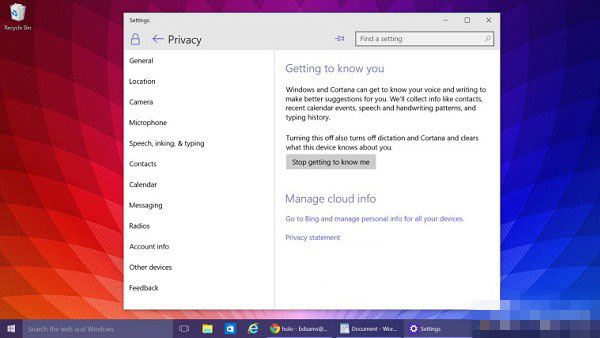
此設定自 Build 10074 起正式提供,正式版同樣適用。停用後,工作列搜尋框仍保留基本網頁/本地搜尋功能,但失去語音互動與個人化推薦。關注隱私的用戶建議執行此設定。
Win7 寬帶連線錯誤 720 解決:重建連線、設定自動取得 IP
Mac 安装 Win10 正式版全图文教程:Boot Camp 制作启动盘+分区+驱动安装
Win10 Mobile 紅石 14283 已修復與已知問題彙總:藍牙 AVRCP 1.5、Microsoft Band 同步異常、WEP WiFi 相容
Win10 IoT Core 15002預覽版更新詳解:Cortana正式登陸物聯網版
Win10 微軟拼音輸入法設定預設輸入模式為英文:設定 App → 時間與語言 → 區域與語言 → 選項 → IME 預設模式