Windows XP Windows 7 Windows 2003 Windows Vista Windows 綜合教學 Linux 系統教學
Windows 10 Windows 8 Windows 2008 Windows NT Windows Server 電腦軟體教學
您现在的位置: Windows教程網 >> Windows教程 >  >> Windows 綜合教學 >> 關於 Windows

Windows 7 無法開啟 TTF 字體檔?修復檔案關聯恢復安裝功能

編輯:關於 Windows

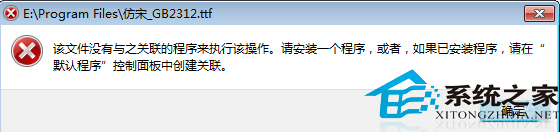
Windows 7 下雙擊 .ttf 字體檔卻提示「找不到關聯程式」,無法直接安裝字體。這通常是因為登錄中的檔案關聯損毀所致。透過修復登錄鍵值即可恢復正常。
修復步驟

  1. 按 Win+R 輸入 regedit 開啟登錄編輯器。
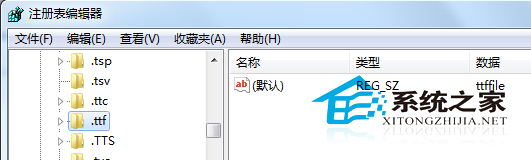
  2. 展開 HKEY_CLASSES_ROOT\.ttf,確認「預設」值為 ttffile。
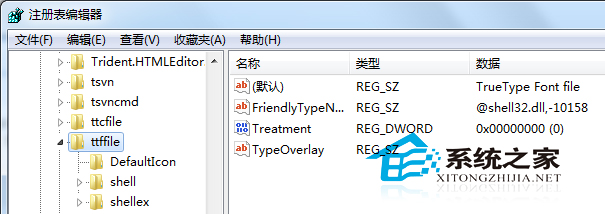
  3. 展開 HKEY_CLASSES_ROOT\ttffile,檢查 shell\open\command 等子鍵值是否正確(參考正常電腦)。
  4. 若鍵值遺失或錯誤,可從正常電腦匯出 ttffile 相關分支為 .reg 檔,於故障電腦匯入。

修復完成後,雙擊 .ttf 檔即可正常開啟字體預覽視窗並安裝。建議操作前備份登錄,以防誤修其他鍵值。

Copyright © Windows教程網 All Rights Reserved