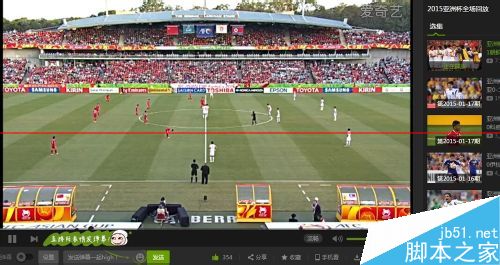
身在海外想觀看亞洲盃轉播?Win8 可透過內建 VPN 用戶端建立連線至台灣/亞洲伺服器,繞過地理限制。以下是設定步驟:
.pbk。8.8.8.8。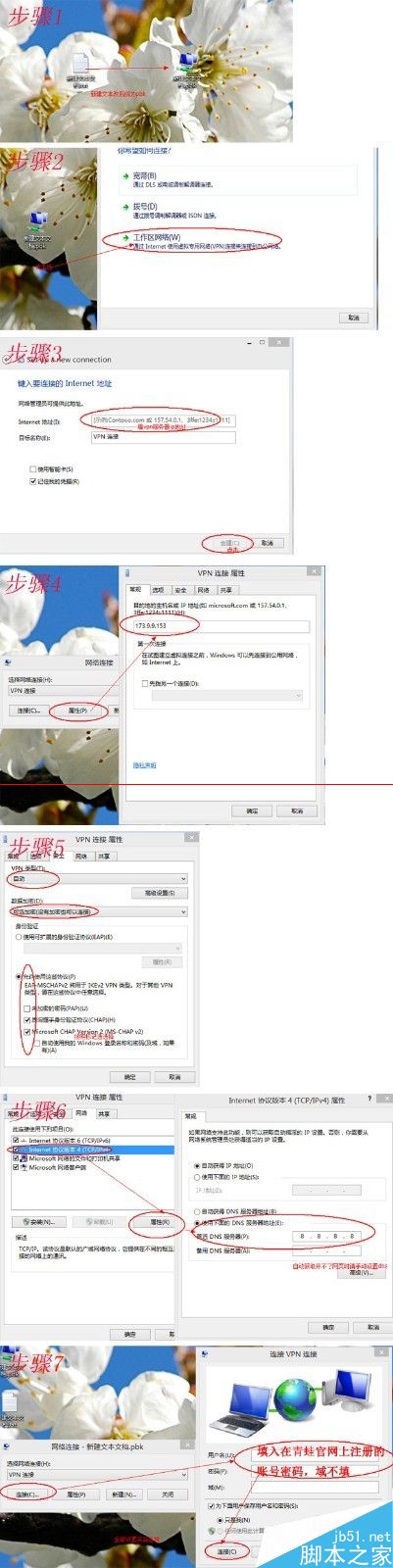
Win10 Mobile 14393.105 微信圖片不顯示?官方暫無修復,可嘗試回退穩定版或反饋
Windows Server 2016 (Server 10) 延至 2016 年發布:同步 Win10 開發節奏,預覽版春季釋出
Windows 10 設定 IE 瀏覽器檔案關聯:Internet 選項 → 程式 → 設定關聯
Win7 移除 .NET Framework 正確姿勢:控制台「變更」選「移除」
Windows 10 Build 9879 簡體中文專業版 ISO 官方下載連結 (32/64 位元)
Win10 修改網卡 MAC 地址完整教程:設備管理器法 + 註冊表法雙方案