Windows XP Windows 7 Windows 2003 Windows Vista Windows 綜合教學 Linux 系統教學
Windows 10 Windows 8 Windows 2008 Windows NT Windows Server 電腦軟體教學
您现在的位置: Windows教程網 >> Windows教程 >  >> Windows 綜合教學 >> 關於 Windows

如何加入 Windows Insider 並切換 Fast/Slow Ring 更新周期(避開 AMD GPU Bug)

編輯:關於 Windows

Gabriel Aul 宣佈 10122 即將發布,但 AMD GPU 導致 Edge 崩潰。**建議 AMD 用戶切換到 Slow Ring 避開 Bug**。

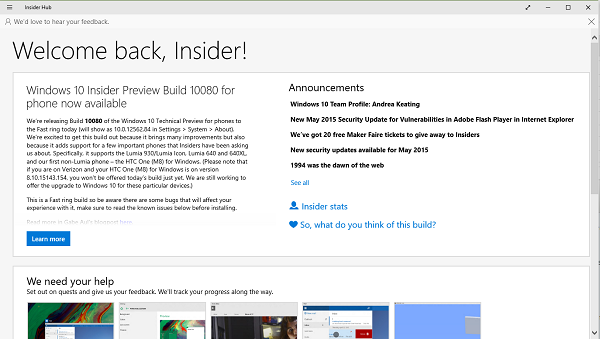
加入 Insider: Win7/8.x 訪問 insider.windows.com 微軟賬號登錄申請,通過後可下載對應語言/地區最新鏡像(目前 10122),也可申請手機版預覽。
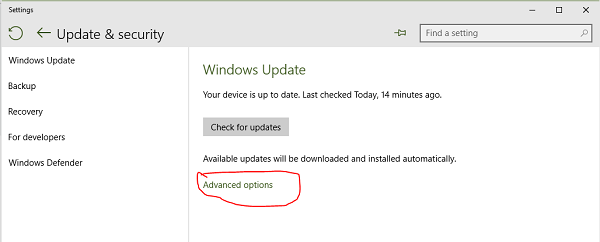
切換推送周期: 設置→更新和安全→Windows Update→高級選項,選 Fast Ring(搶鮮) 或 Slow Ring(穩健)。
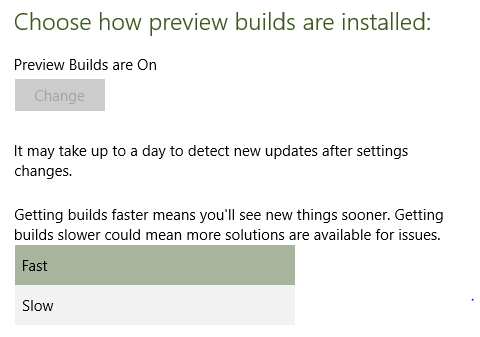
AMD GPU 用戶可切 Slow Ring 等修復,不看重 Edge 可留 Fast Ring。


Copyright © Windows教程網 All Rights Reserved