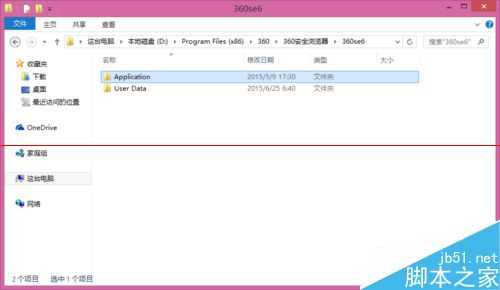
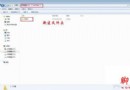
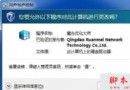
Win7 升級 Win8.1 後,原安裝在 D 槽的 360 極速/安全瀏覽器無法啟動。解決:
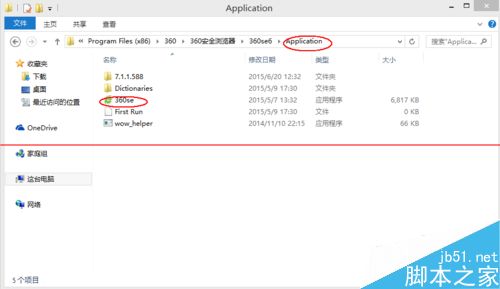
Application
360se.exe
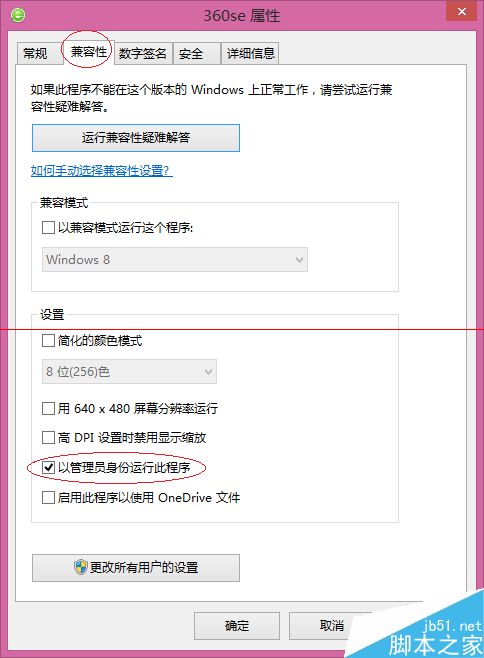
適用原版 Win8.1 系統,相容性設定提權即可恢復正常啟動。
Win10 正式版強制自動更新:家庭版無法拒絕,專業版以上可延遲
Win Server 2003 瀏覽網頁頻繁提示「加入信任網站」徹底解決:移除 IE 增強安全性設定 + 群組原則調整安全等級
Win10 Wi-Fi Sense 自動分享密碼給聯絡人:安全隱憂大、建議 SSID 加入封鎖清單
Windows 10 Mobile/PC 磚塊排列組合玩法:情侶專屬愛心圖案、應用程式清單字母全點亮、工作列自訂文字
Windows 8 查看 Metro 應用程式佔用磁碟空間:透過電腦設定快速掌握
WinXP 控制台無法開啟?群組原則啟用存取控制台功能教學
Win10 降级指南:30 天内可无损回滚 Win7/8.1,附完整操作步骤
Microsoft Fix it Center:免費家庭電腦醫生自動診斷修復常見問題