Windows 10 分享功能整合於系統應用,分享清單預設顯示幾個項目。可依裝置螢幕大小調整顯示數量,大螢幕可顯示更多。
Win7 對決 Win8:升級選擇完整比較指南
Windows 8.1 IE 瀏覽器無法開啟 (僅管理員身分可開)?登錄檔 Main 權限繼承修復
Win10 視窗跑到螢幕外怎麼找回?教你一招解決
Win10 定位隱私保護完整指南:圖標含義、應用權限管理與防追蹤設定
Windows 免費資料夾加密:NTFS 權限 + EFS (加密檔案系統) 雙重保護,無需第三方軟體
Windows 7 安裝全程圖文詳解:從開機選單到桌面完成
Win10 郵件應用程式無法同步?重新註冊應用程式解決教學
Win10 如何解除安裝程式?兩種開啟「解除安裝程式」介面的方法
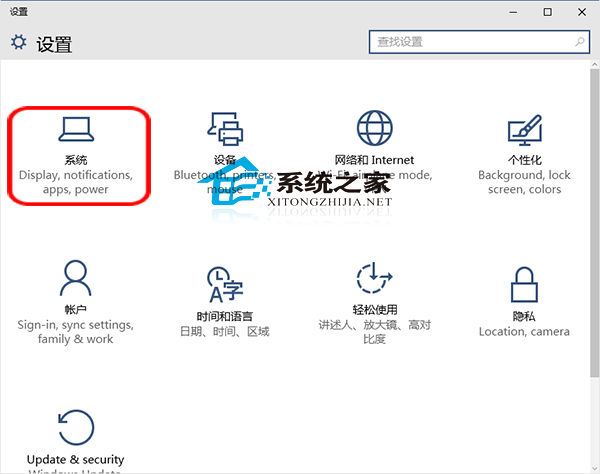
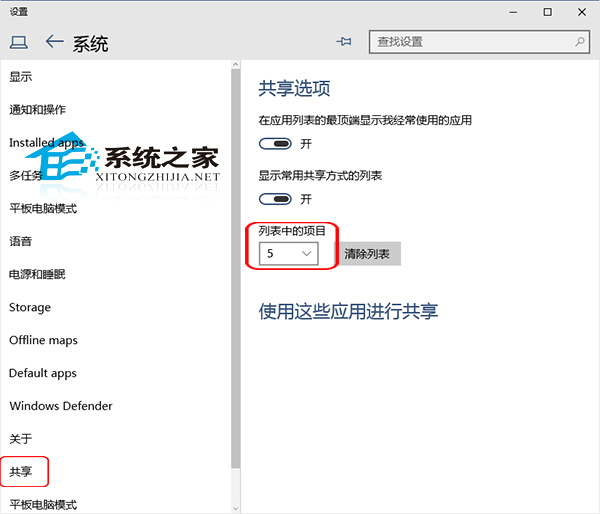 小螢幕建議 3-4 項,大螢幕可設 6-8 項,避免清單過長需捲動或過短資訊不足。