開機彈出「msvcp71.dll 遺失」錯誤,表示 Microsoft Visual C++ 運行庫核心檔案遺失或損毀。透過補回對應版本檔案並註冊即可修復。
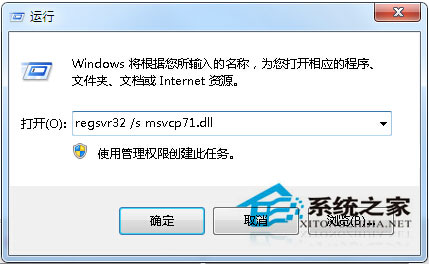
msvcp71.dll 檔案:C:\Windows\System32 複製C:\WINNT\System32\C:\Windows\System32\C:\Windows\SysWOW64\regsvr32 /s msvcp71.dll 按 Enter 註冊。
C 槽系統資料夾勿隨意刪除不明檔案,系統更新會自動維護運行庫。誤刪系統檔案是導致此類錯誤主因。
Win10 搭建 Cocos2d-x 3.7 遊戲開發環境教學:VS2015 + Windows 10 SDK 完整配置
Win10 Mobile 10572 未公開更新匯總:VPN 快捷移除、引導文字簡化、完整帳號管理、訊息同步開關、透明度邏輯反轉
Windows XP 光碟機無法自動播放?群組原則/登錄檔雙重解法啟用 AutoRun
Win10 開始選單動態磁貼引用戶不滿:數百人反饋要求提供隱藏/移除選項,還原 Win7 純淨體驗
Win7/Win8.1 雙系統安裝 Win10 TH2 正式版圖文教程:硬盤與 USB 兩大法詳解
Windows 10 寬帶連線錯誤 813 根治方案:關機批次檔自動斷線再關機