重灌系統後若殘留錯誤的網銀憑證,需透過 MMC 主控台移除。
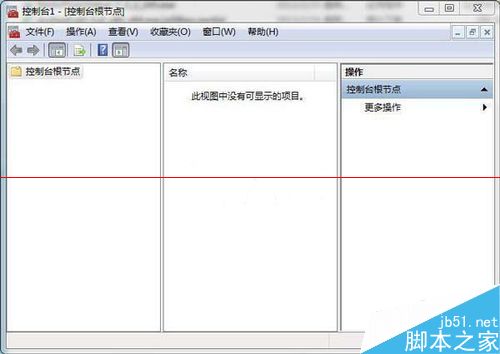
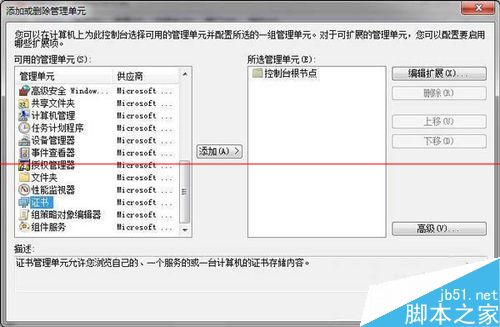
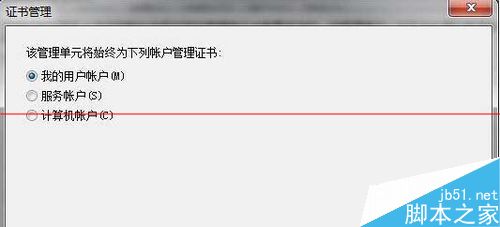
步驟:
mmc 開啟主控台。即可清除殘留錯誤憑證。
Win10 IE 瀏覽器無法開啟/無法使用?三大解決方案:重設 Proxy、建立新管理員帳號、重設 Winsock
Win10 桌面圖示字體太大?調整文字大小與縮放比例的完整教學
Win10 找不到 QQ 圖示?兩招從隱藏區喚回或固定顯示於工作列
Windows 開始功能表 20 年演進回顧:從 Win95 到 Win10 你用過幾代?
Windows 10 一鍵備份/還原驅動程式:DISM 指令單行搞定,免裝第三方工具
Win7 卸載顯卡驅動:裝置管理員 → 顯示配適器 → 右鍵顯卡 → 解除安裝裝置 → 重開機