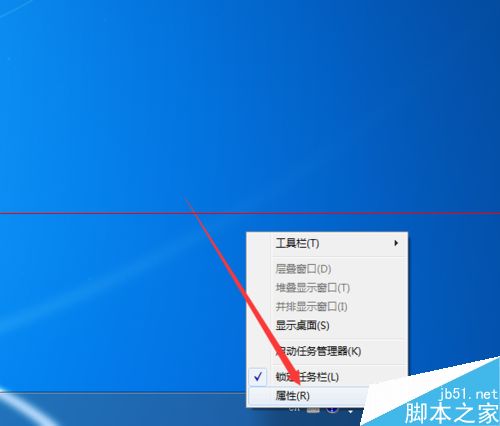
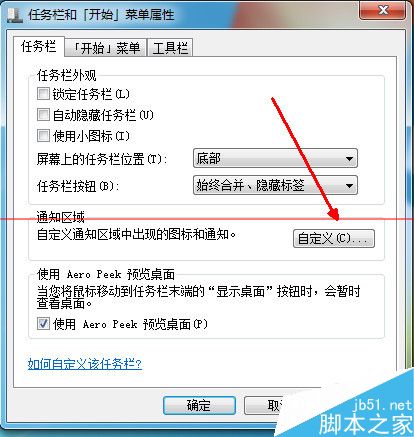
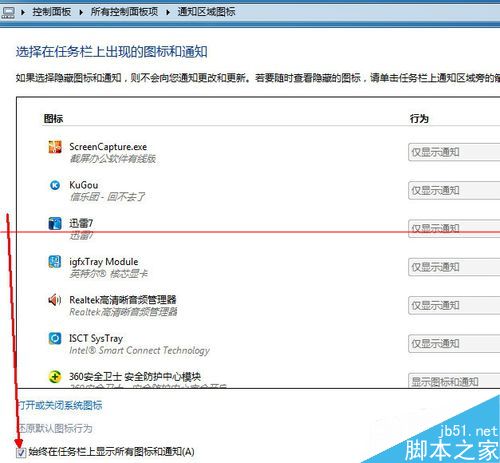
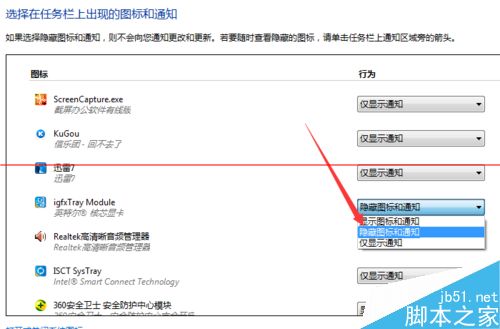
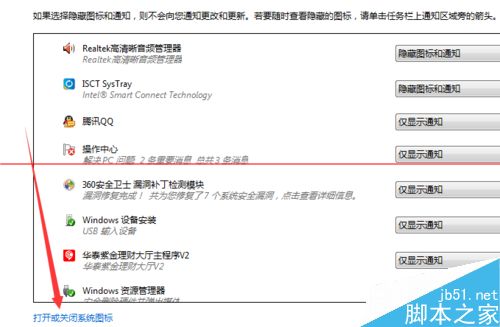
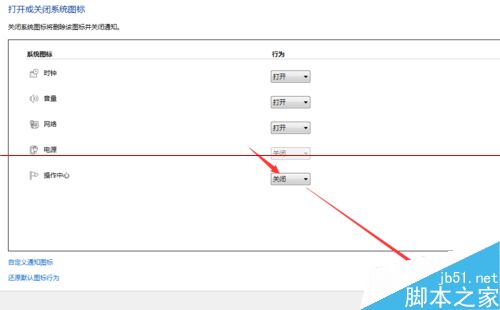
Win7 右下角操作中心小白旗 (通知圖標) 可關閉:
同時說明收合/展開通知區域圖標操作。
Windows 10 行動裝置預覽版何時推送?支援執行 EXE 程式嗎?小米 4 將首發
Windows 10 內建天氣應用更新 4.4.200.0:中國區天氣資料正常顯示,資料源切換為中國天氣網
善用 CMD 指令為 Win7 資料夾加密,無需第三方軟體
Windows 7 旗艦版 64 位元無法進入安全模式?透過註冊表匯入修復教學
滑鼠右鍵選單開啟慢、卡頓?徹底清理右鍵選單擴充項解決
解決 Windows 7 連接 Wi-Fi 出現驚嘆號「有限的存取權」:三大原因與對應方案
Win7 被惡意軟件入侵後的典型癥狀匯總
Web 應用程式打包發布至 Win10 應用程式商店完整教學