Win7 關機需等待服務結束,透過登錄縮短等待時間:
regedit → 定位 HKEY_LOCAL_MACHINE\SYSTEM\CurrentControlSet\Control。WaitToKillServiceTimeout,數值資料設 1200(單位毫秒,即 1.2 秒),可依需求調整。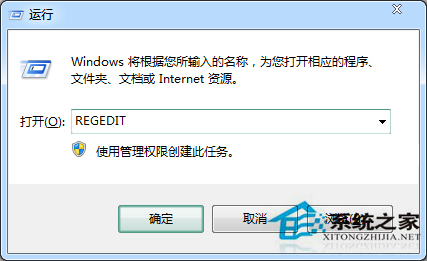
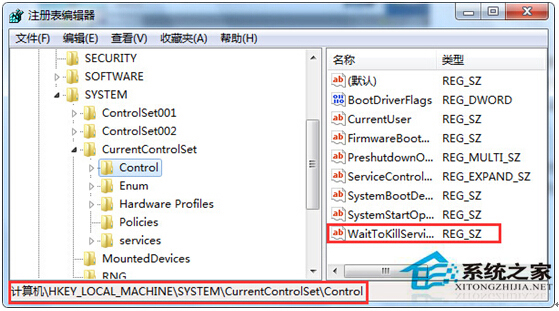
大幅加快關機速度,若需更快可調整更小數值。
Win10 周年更新四大高頻問題彙總:升級失敗、隨機死機、應用閃退、設定重置
Win10 Alt+Tab 無法切換視窗?登錄修改 AltTabSettings=1 恢復經典切換介面
Windows 10 企業版新功能曝光:資訊安全、應用管理、統一商店、大量採購
Media Creation Tool 升級 Win10 正式版完整實測流程:從下載到進入桌面 11 步驟圖文詳解
Win10 內建步驟記錄器 自動記錄操作步驟與截圖產生教學文件
Win10 发布首日全球网络流量飙升 35%,Akamai CDN 从容应对未崩溃