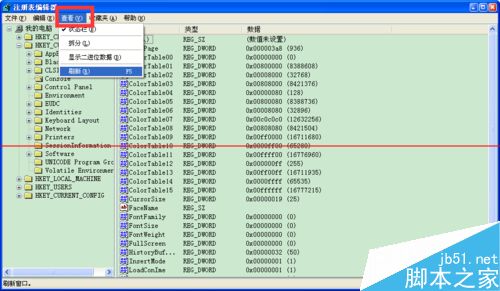
CMD 無法輸入中文,透過登錄設定代碼頁修正:
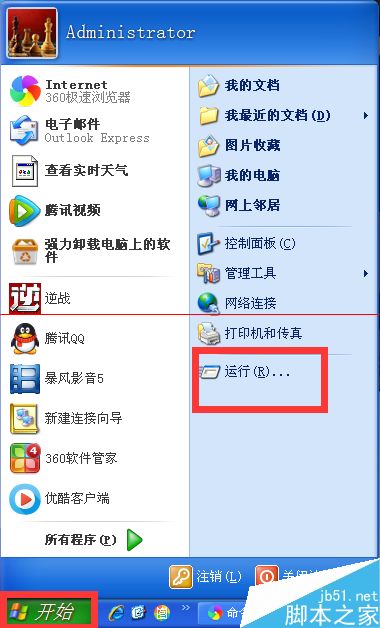
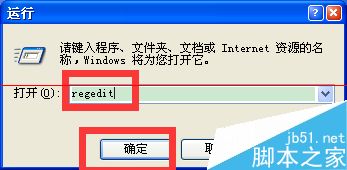
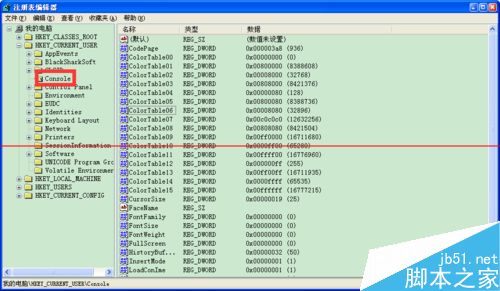
regedit
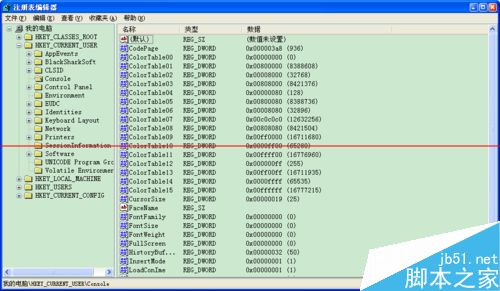
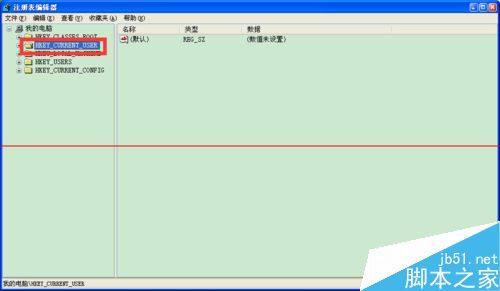
HKEY_CURRENT_USER\Console
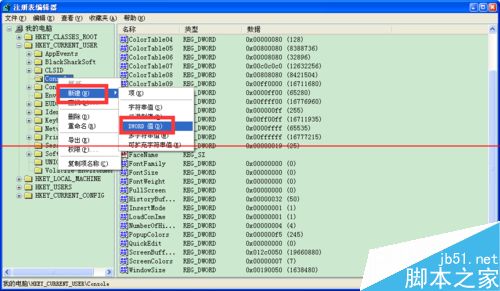
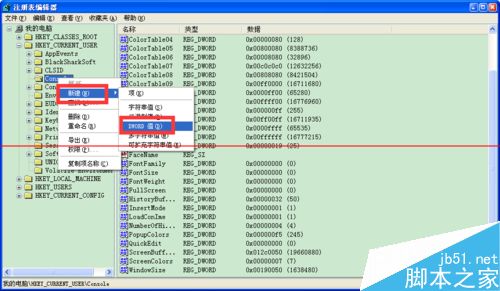
CodePage
3a8
微软正评估 Win10 Mobile 10549.4,本周或推送快速版更新
Win7 安裝卡在「無法將 Windows 設定在此電腦硬體上運行」無限重開機?Shift+F10 執行 OOBE 指令跳過
Win10 永久關閉通知中心彈出訊息:登錄表修改 UseActionCenterExperience=0 (附備份還原建議)
路由器登入位址與設定教學:192.168.1.1 進入後台、PPPoE 撥號上網
Win10 區域網路磁碟共用完整設定:共用權限與 NTFS 安全性雙重配置
Win10 內建相片檢視器大翻新:新一代修圖神器上線,介面人性化、支援繪圖濾鏡
XP 系統「新增/移除程式」無法開啟?兩大原因與解決方案
Win8 網路設定錯誤無法上網?重新啟用乙太網路介面卡即可快速恢復