Windows XP Windows 7 Windows 2003 Windows Vista Windows 綜合教學 Linux 系統教學
Windows 10 Windows 8 Windows 2008 Windows NT Windows Server 電腦軟體教學
您现在的位置: Windows教程網 >> Windows教程 >  >> Windows 綜合教學 >> 關於 Windows

Windows 10 隱藏零售演示模式:啟用前必須知曉的風險與方法

編輯:關於 Windows

Windows 10 內部預覽版藏有一「零售演示模式」,微軟用於零售環境展示系統體驗。啟用前須知兩點:一、啟用將刪除機器上所有個人內容;二、卸載需密碼,但官方未公開密碼(避免零售商混亂)。
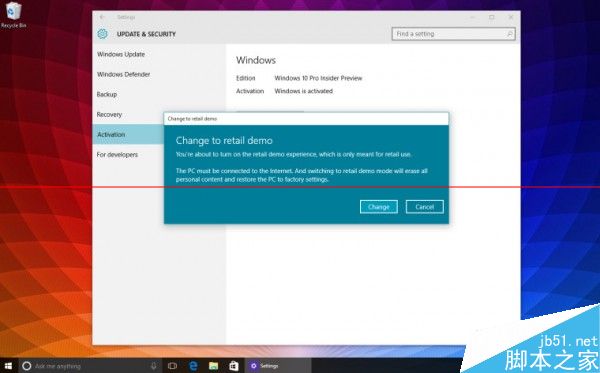
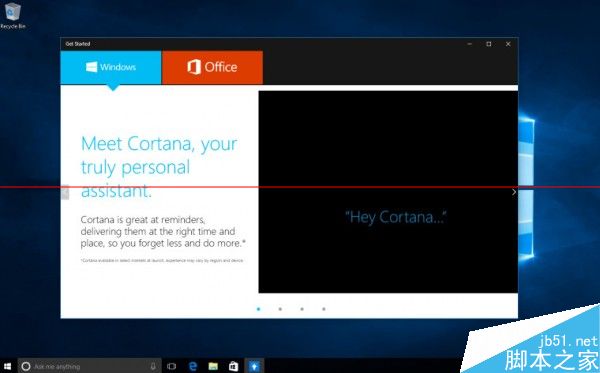
啟用方法: 進入「設定」→「更新與安全」→「啟用」,連點「Windows」字樣 5 次,即可進入零售演示模式。到達輸入零售代碼頁面點「完成」重啟,重啟後將以「DarrinDeyong」帳號登入。

模式下介面與熟悉桌面類似,但 Edge 首頁導向微軟商店、控制台被鎖定、內含 Windows 10 特色簡易教學,並新增名為「吸引循環」的螢幕保護程式。

Copyright © Windows教程網 All Rights Reserved