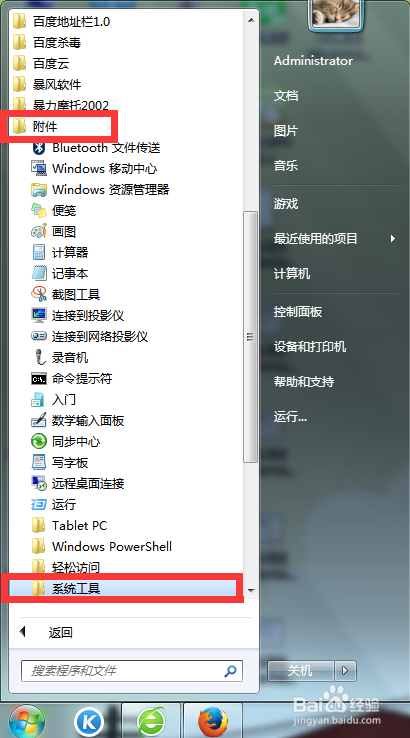
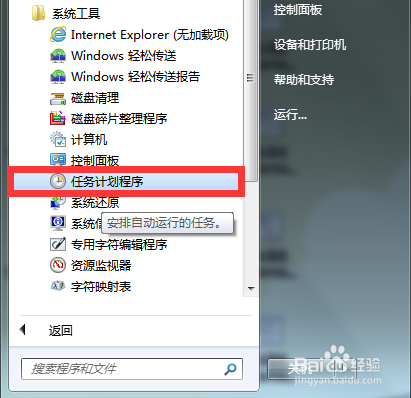
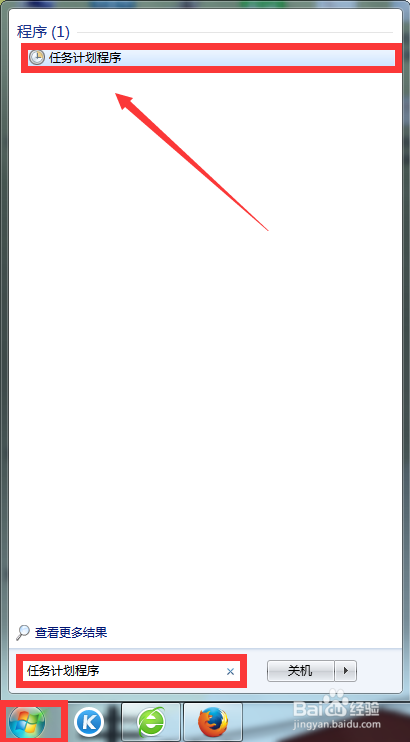
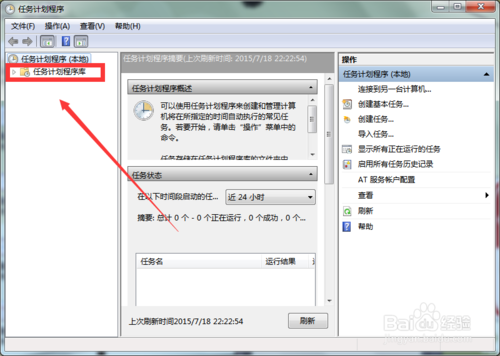
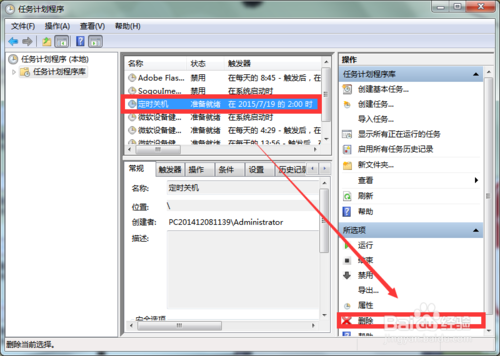
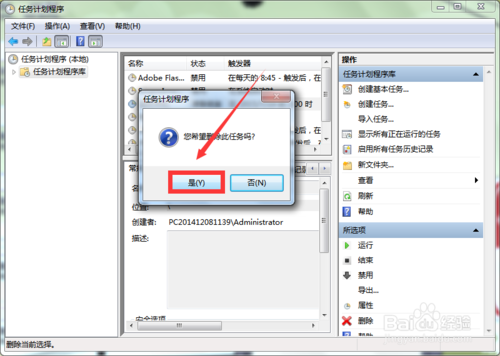
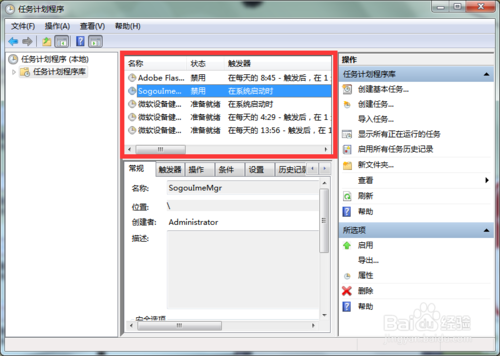
Windows 7 取消已設定的定時關機:
Win10 如何更換鎖定畫面壁紙?個人化設定鎖定畫面背景圖片自訂
Win7 看網頁影片出現綠畫面?關閉 Flash 硬體加速即可解決
Windows 10/7/8 控制台無法開啟的修復方法:檢查 .cpl 檔案、SFC 掃描、登錄關聯修復
11 月起 Win10 TH2 正式版支援 Win7/8.1 金鑰直接啟動,免走升級流程
微软10月安全公告汇总:KB3097617等6项更新修复IE/Edge/Office/内核漏洞
Windows XP 無法登入 iTunes 帳號,購買影片也無法觀看
Win10正式版何時發布?AMD高層透露預計7月底、受返校季影響
Win10 借鑒 macOS 觸控板手勢與視窗吸附:三指滑動、任務檢視高度相似