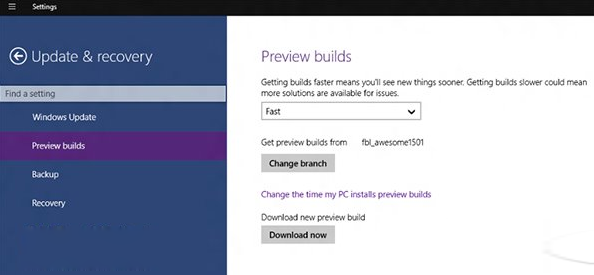
眾多用戶反饋升級遇到「安裝失敗」或缺少 boot.wim 無法安裝。機智用戶發現:將 C:\$Windows.~BT\ 複製到其他分區,執行其中 source\setupre.exe 即可正常安裝。但該資料夾屬臨時屬性,內容可能莫名消失(如從 6GB 變 140MB),根源在於系統誤判任務完成而刪除內容。建議複製後將檔案放入正常資料夾或修改複製後資料夾屬性,**切勿修改原 $Windows.~BT 資料夾**,以免影響正常升級管道。
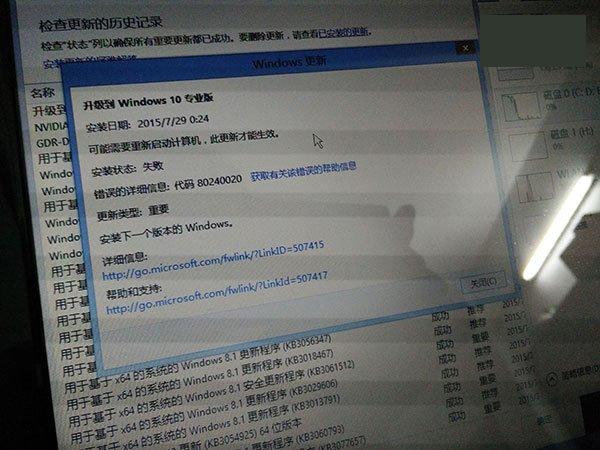
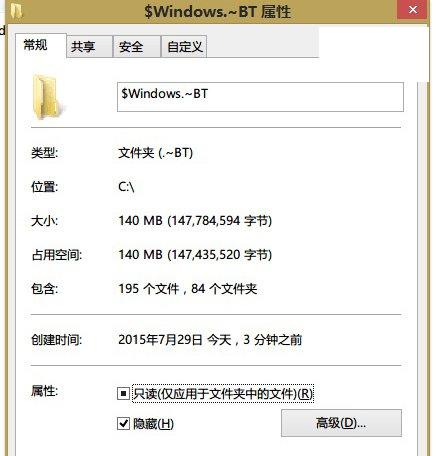
▲原本 6GB+ 資料夾莫名僅剩 140MB
微軟尚未給出官方解決方案,用戶可在評論區交流,官方方案出爐後將及時通知。
Win10 週年更新 KB3194496 安裝失敗解決方案:離線 CAB 更新包手動部署
百度 Win10 直通車檢測 ibmpmdrv.sys 不相容?解除安裝聯想電源管理並刪除驅動檔
Win7/Win8.1 預約 Win10 免費升級完整教學與注意事項
Win7 旗艦版顯示「Windows 啟用狀態不可用」怎麼辦?360 優化導致服務被停用的修復法
Win10 Build 10061 升級攻略:透明工作列、新郵件行事曆、虛擬桌面無限制
Windows 7 開機動畫更換教學:使用軟媒魔方大師一鍵替換