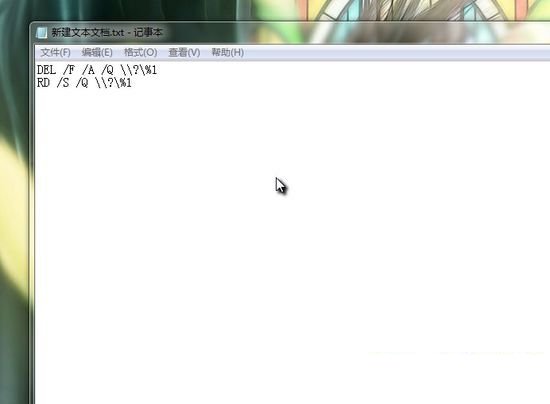
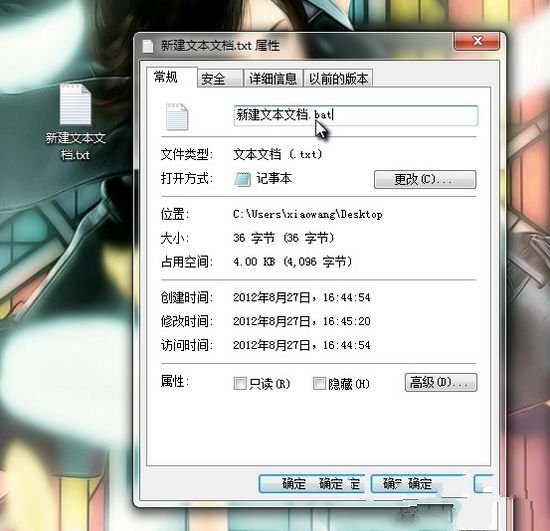
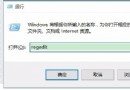
遇到檔案無法刪除、登出也不行怎麼辦?教你製作一個「快速粉碎」批次檔,拖曳即刪。
DEL /F /A /Q \\?%1
RD /S /Q \\?%1
處理速度視檔案大小而定,通常相當快速。
Windows 10 任務列進階技巧:註冊表修改實現點擊圖示直接切換同一程式多視窗
Windows 7 清除 Firefox 快取檔案教學
Win10 Mobile 隱藏零售店演示模式 簡單操作即可開啟 (僅供體驗)
Win7 系統記憶體不足警告?手動調整虛擬記憶體大小與位置解決卡頓
Win10 Build 10108 釋出:開關控件變化、右鍵選單改版、內建 3D Builder、導覽應用更新
台式電腦能裝 Win 10 嗎?硬體需求低、體驗優於 Win 7/8
殺毒後 Windows 桌面消失 (explorer.exe 異常) 六步修復:安全模式、登錄 Shell 值、Image File Execution Options、任務管理器重啟、隔離還原、PE 替換
Win10 9879 版 Steam 崩潰問題解決方案與臨時修正