Windows XP Windows 7 Windows 2003 Windows Vista Windows 綜合教學 Linux 系統教學
Windows 10 Windows 8 Windows 2008 Windows NT Windows Server 電腦軟體教學
您现在的位置: Windows教程網 >> Windows教程 >  >> Windows 綜合教學 >> 關於 Windows

Windows 10 取消共用資料夾教學:進階共用設定移除網路路徑

編輯:關於 Windows

Windows 10 取消已共用資料夾,防止他人存取。另附建立共用兩種方法。

取消共用步驟

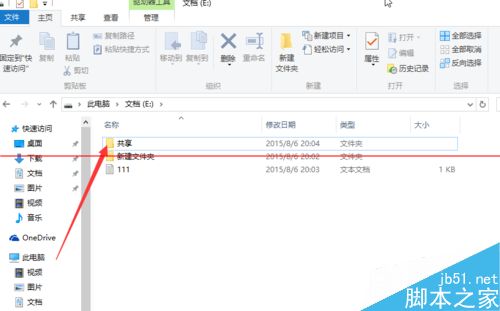
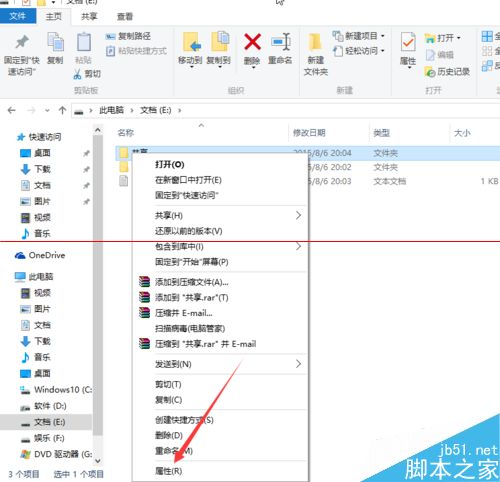
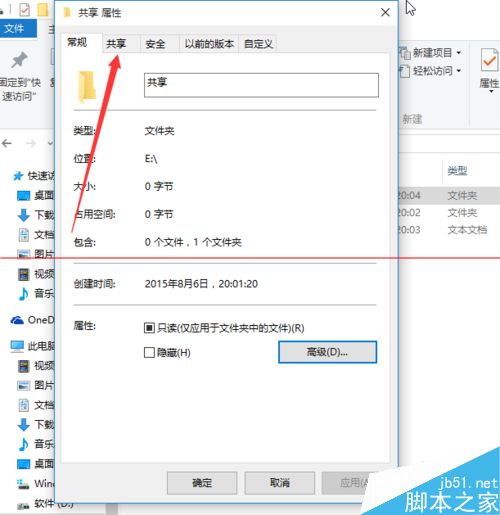
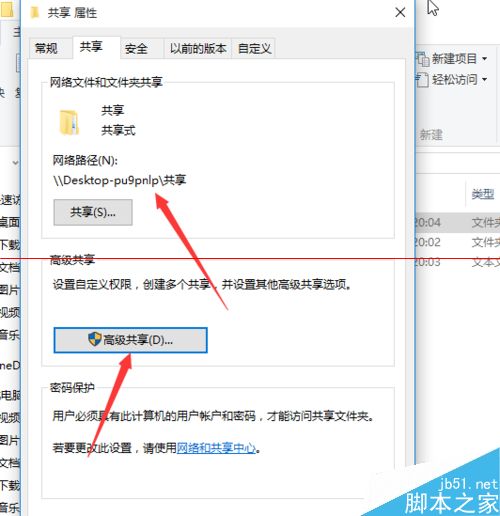
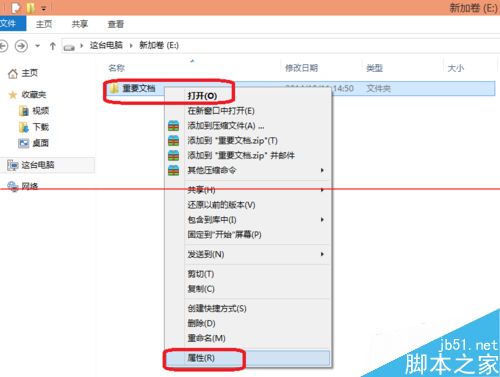
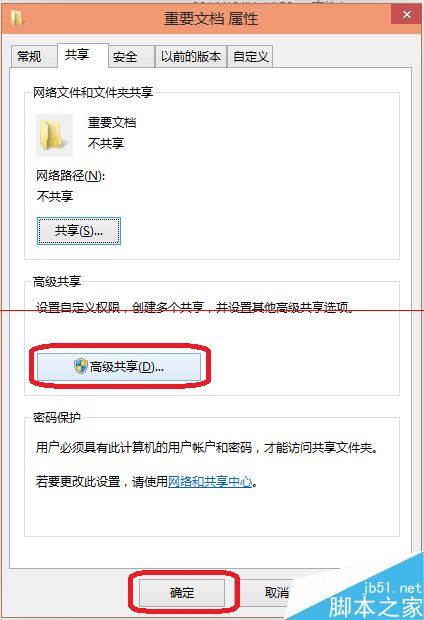
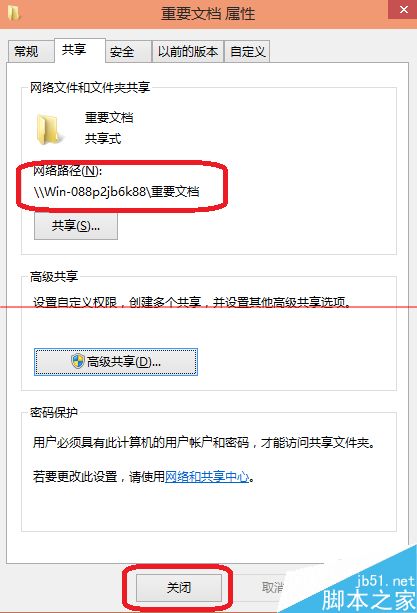
  1. 右鍵共用資料夾 → 「內容」 → 「共用」標籤 → 「進階共用」。
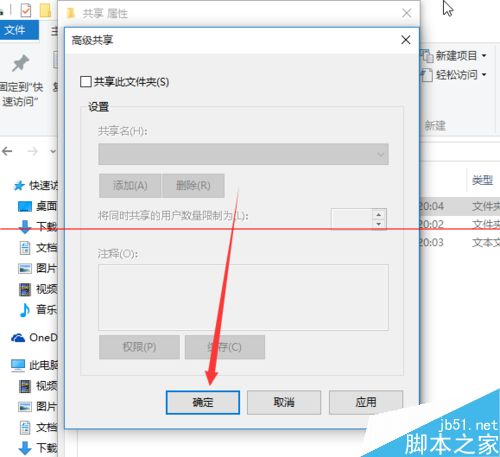
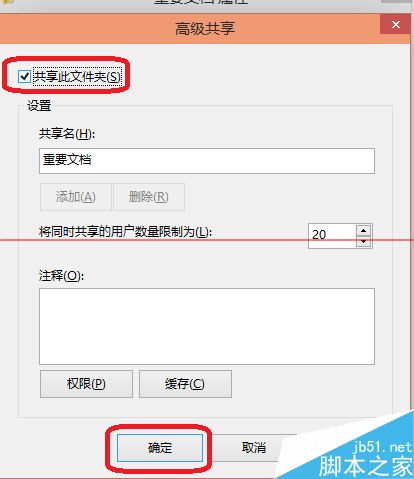
  2. 取消勾選「共用此資料夾」 → 確定。

建立共用方法一:進階共用

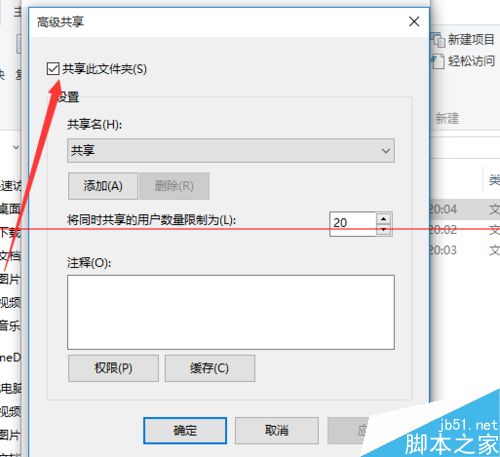
  1. 右鍵資料夾 → 「內容」 → 「進階共用」 → 勾選「共用此資料夾」 → 確定。
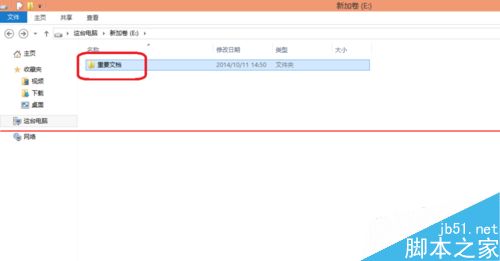
  2. 回到屬性見網路路徑即共用成功。

建立共用方法二:特定使用者共用

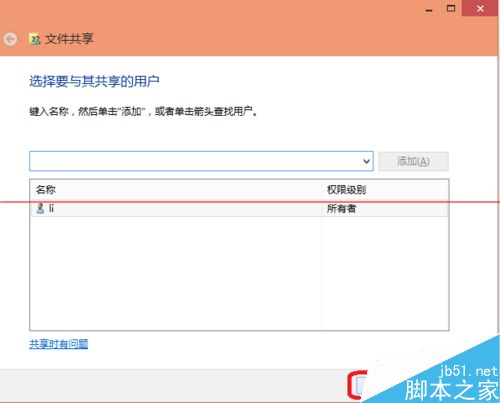
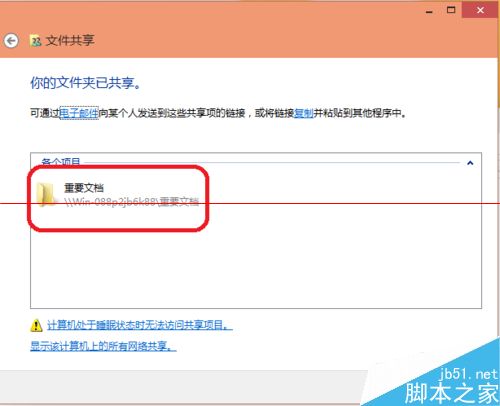
  1. 右鍵資料夾 → 「共用」→「特定使用者」 → 選擇使用者 → 「共用」→「完成」。
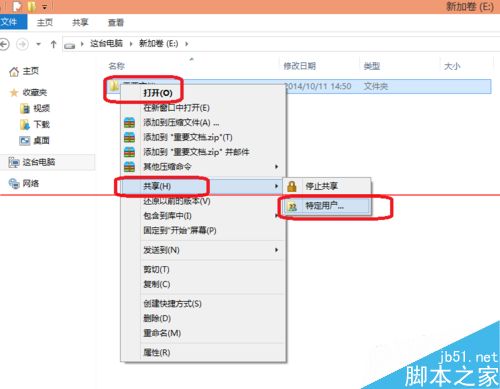
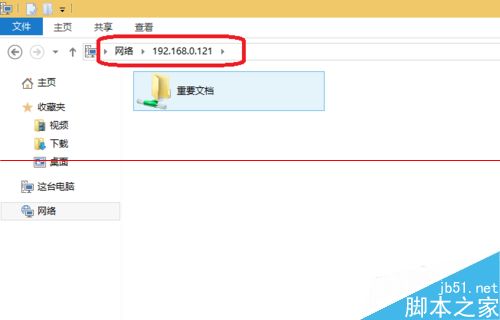
  2. 其他電腦輸入網路路徑即可存取。

安全建議: 資料傳輸完成後立即取消共用。
Copyright © Windows教程網 All Rights Reserved