Windows XP Windows 7 Windows 2003 Windows Vista Windows 綜合教學 Linux 系統教學
Windows 10 Windows 8 Windows 2008 Windows NT Windows Server 電腦軟體教學
您现在的位置: Windows教程網 >> Windows教程 >  >> Windows 綜合教學 >> 關於 Windows

Win10 系統重置風險高 建議改用 USB 或硬碟全新安裝

編輯:關於 Windows

Windows 10 內建的「系統重置」功能與 Windows 8/8.1 不同,已預先備妥恢復所需的安裝檔案,使用者無需自行準備 USB 隨身碟、光碟或恢復映像。操作路徑位於「設定」→「更新與安全性」→「復原」中,雖然方便,但過程耗時且需謹慎操作。
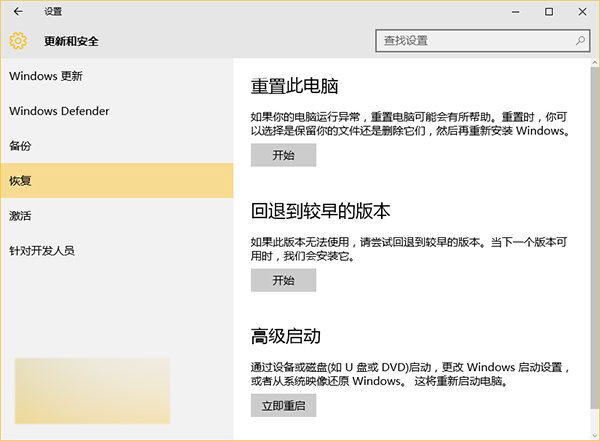
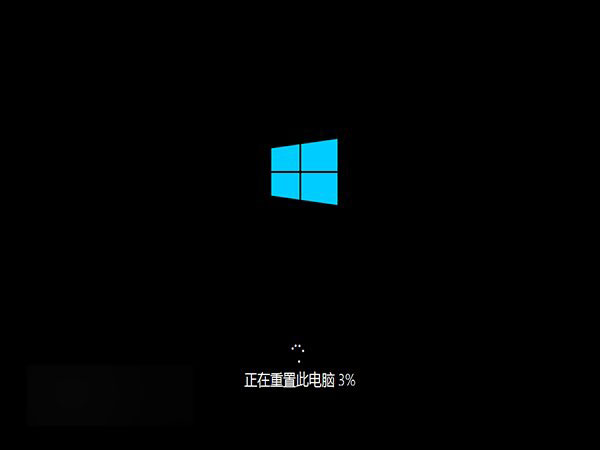
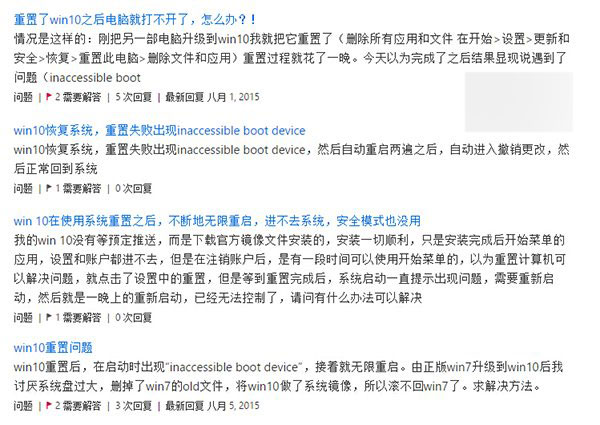
然而,許多使用者回報在升級 Win10 後執行重置時,會遇到 「inaccessible boot device」錯誤、無限重開機、藍屏死機 等嚴重問題。為避免這些麻煩,強烈建議採用 USB 隨身碟安裝法或硬碟安裝法進行全新安裝。
Win10 預設重置與全新安裝效果相同,只要原本從 Windows 7/8.1 升級後已成功啟用,重新安裝後系統會自動啟用,無需擔心授權問題。

全新安裝參考教學:

  • 《Win10 正式版如何安裝?硬碟安裝方法詳解》
  • 《最快最簡單!USB 隨身碟安裝 Win10 正式版圖文教學》
Copyright © Windows教程網 All Rights Reserved