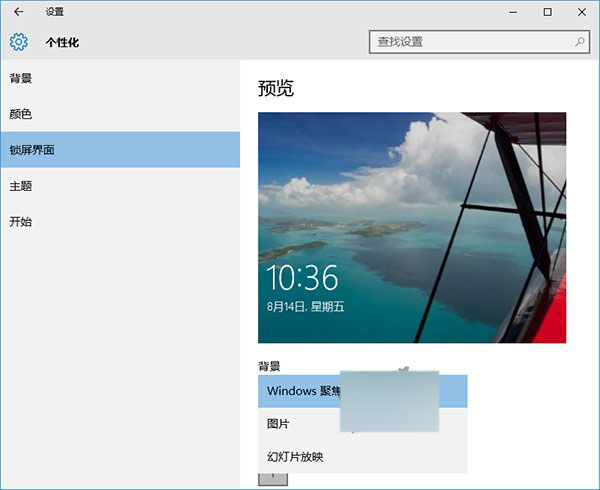
Windows 聚焦為 Win10 內建鎖定畫面壁紙功能,位於「設定」→「個人化」→「鎖定畫面」。選擇「Windows 聚焦」後,每次登入顯示不同背景圖片。Build 2015 大會喬北峰詳細介紹,除風景圖片外,亦根據使用習慣推薦實用功能。
此功能曾在某預覽版後被隱藏,近期隨第二枚累積更新重現,僅家庭版提供。
使用家庭版的用戶可在「設定」→「個人化」→「鎖定畫面」找到此選項。
[下載] Win10 10240 傳統計算機應用程式網盤下載(64/32 位)
Win10 便利貼(Sticky Notes)使用全攻略:建立、調整、疊放、固定工作列
Win10 預覽版 10547 Edge 瀏覽器頻繁崩潰,用戶反應強烈
Windows 7 禁用資料夾縮圖顯示改為圖示:資料夾選項「永遠顯示圖示」
Windows 10 設定印表機共用完整圖文教學,辦公必備技能
Win7 使用者帳戶控制 (UAC) 設定教學:開啟預設等級平衡安全與便利性
Win10 硬體需求曝光:最低配置不高於 Win7/Win8,老電腦也能跑
Win7 開機歡迎畫面背景自訂教學:使用軟媒魔方輕鬆更換