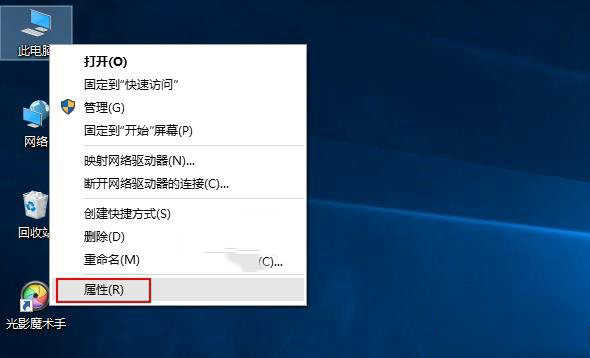
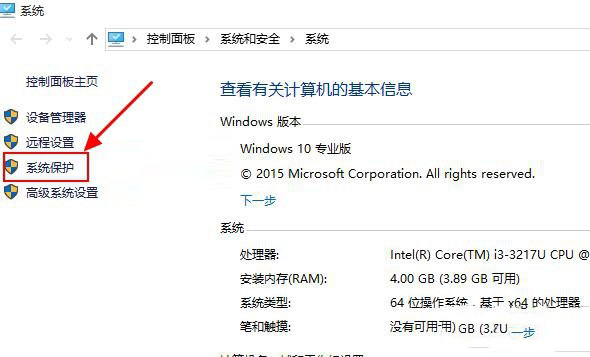
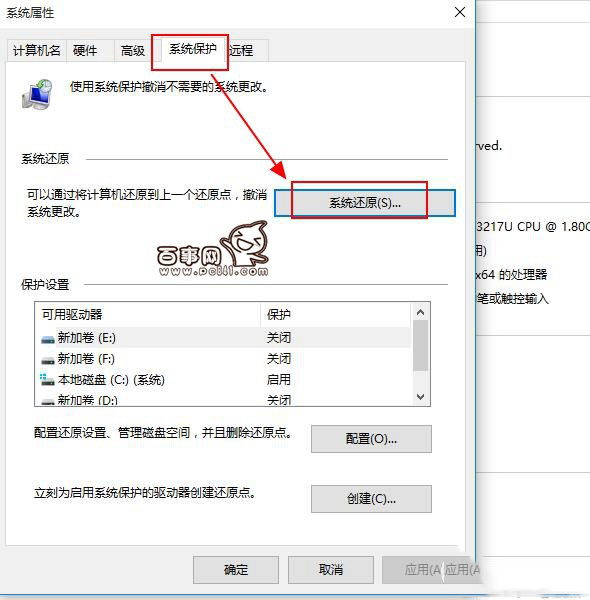
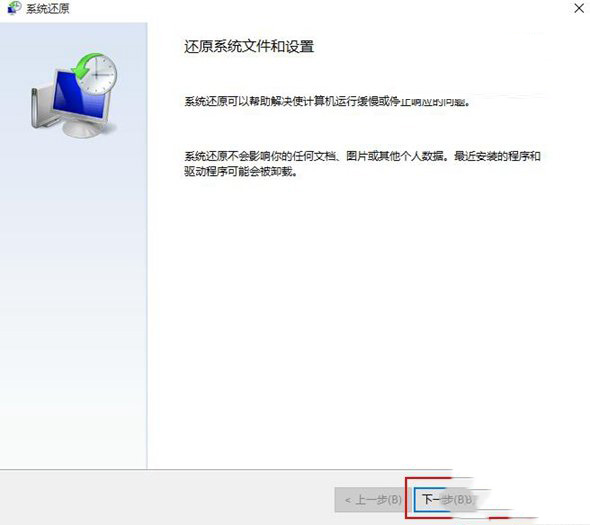
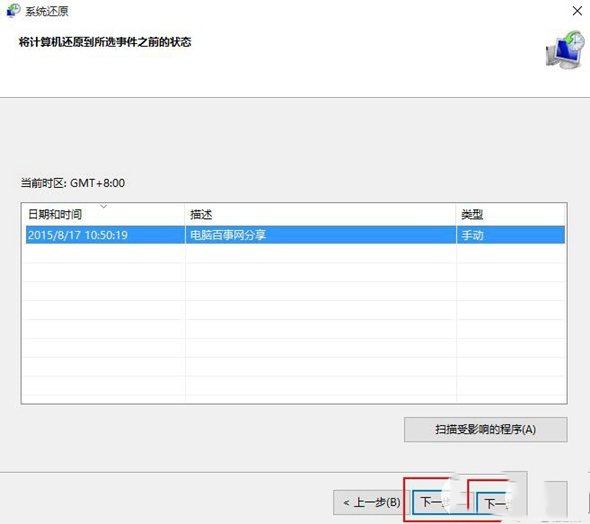
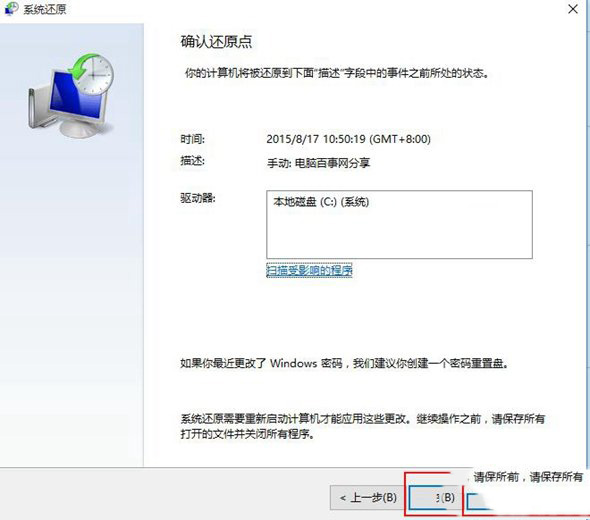
系統出錯、裝太多軟體導致變慢時,「系統還原」能將 C 槽還原至先前建立的還原點,保留個人檔案但移除問題更新/軟體。以下為 Win10 內建還原功能操作步驟:
Windows 10 七大版本完整解析:依螢幕尺寸劃分功能差異,選購指南
Win8.1 激活錯誤 0xC004F074 完整排查指南:7 大原因與對應解法
Win10 玩 CF (穿越火線) FPS 低/畫面卡頓?驅動更新與硬體門檻雙重排查指南
百度升級 Win10 承諾不捆綁第三方軟體:透過搜尋直達微軟官方下載
Windows 8 索引檔 Windows.edb 移至非系統碟:釋放 C 槽空間完整教學
大學該學 Windows 還是 Linux?除非鐵定走 Linux 開發路線,否則 Windows 更實用