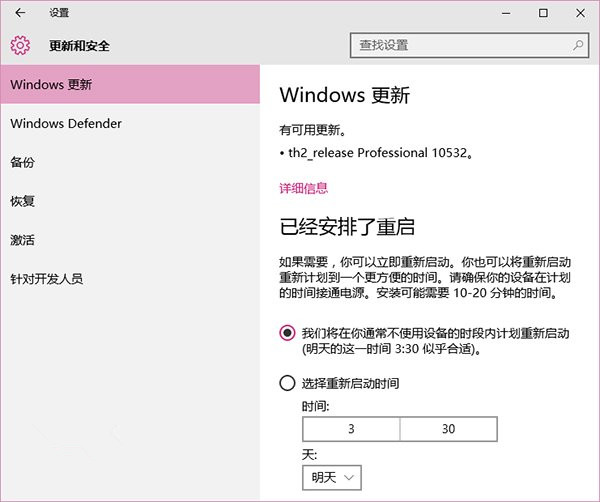
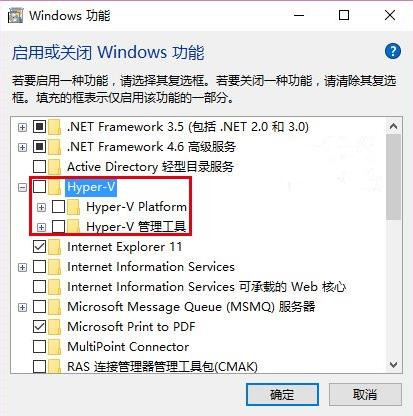
網友回報:安裝 Hyper-V 的預覽版用戶升級 10532 會被要求回滾,關閉虛擬機重啟安裝仍失敗。
升級完成後可在控制台重新啟用 Hyper-V (需重新設定虛擬機)。微軟應持續改善軟硬體相容性,避免此類衝突。
Windows 10 重新命名本機磁碟機方便識別
刪除 Windows 系統服務兩法:SC 指令與登錄編輯器
2015 微軟 Windows 10 硬體新品發布會完整圖文直播回顧:Surface Book、Surface Pro 4、Lumia 950/950 XL、Band 2、HoloLens、Xbox One 遊戲陣容
Win7 工作列圖示變成小縮圖怎麼辦?切換 Aero 主題恢復預覽視窗
Win7 群組原則五大實用設定:強制關機、防止佔位、阻擋木馬、封鎖 Ping、媒體播放優化
升級 Win10 後開機黑畫面超久?雙顯卡筆電關閉 ULPS 登錄值秒解決
Win10 累積更新 KB3116900 詳細內容:版本升至 10586.29,修復 7 項安全漏洞
Win10 RTM 開始向 Insiders 免費推送,盜版用戶無緣免費升級