物理內存充足(≥4GB)時可關閉虛擬內存釋放 C 盤空間。以 Server 2008 為例:
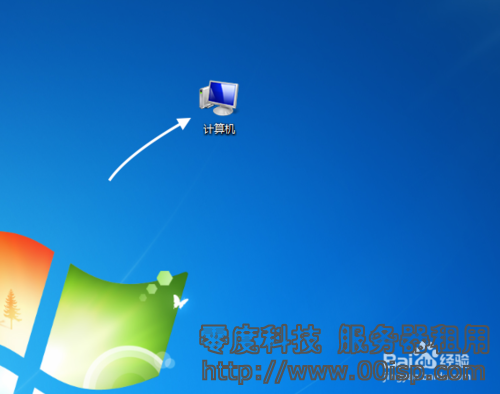
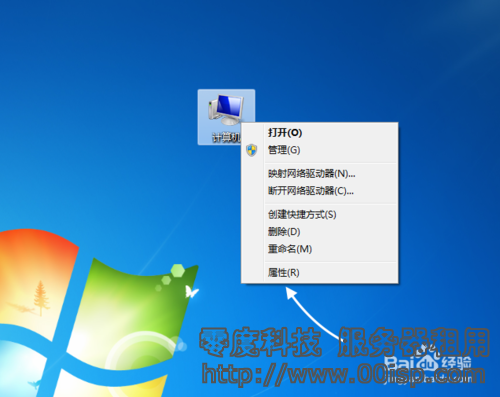
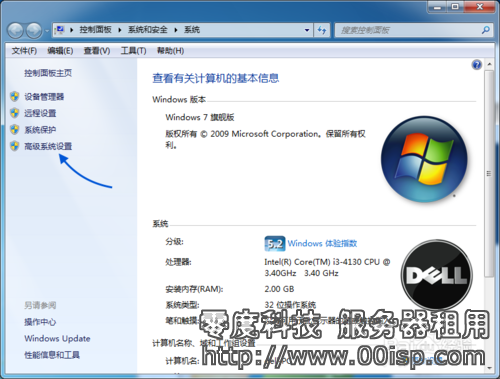
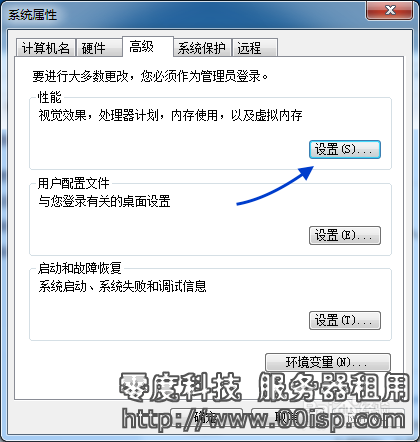
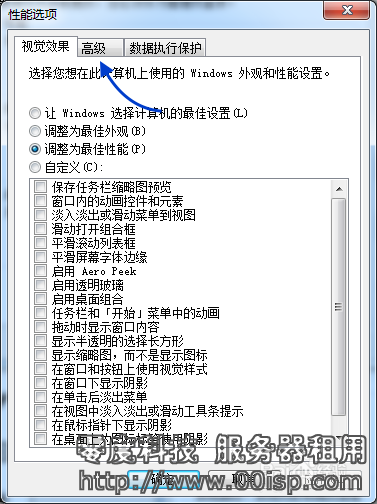
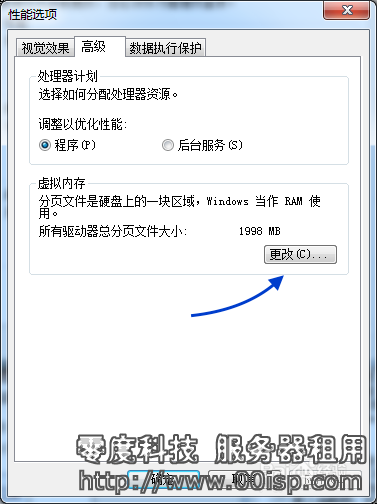
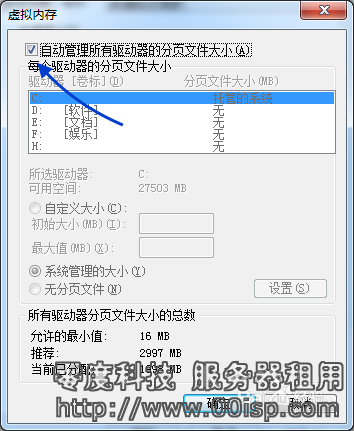
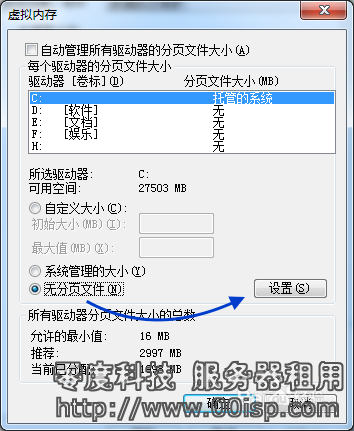
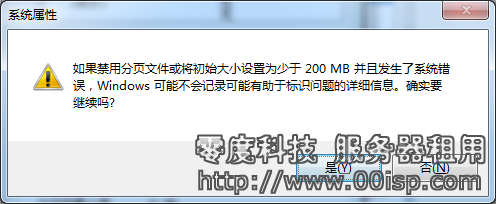
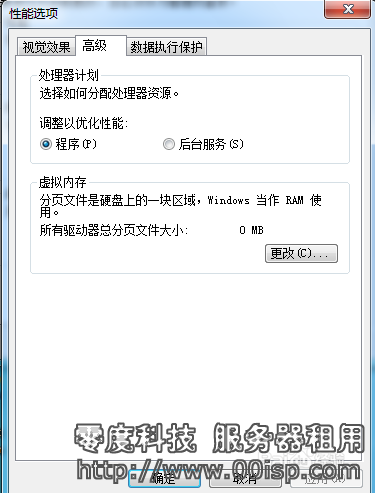
服務器 C 盤 50GB、pagefile.sys 30GB+ 時,移至數據盤極大緩解空間壓力。
Win10 IE 瀏覽器頻繁彈出「Internet Explorer 已停止運作」?停用第三方擴充與自動崩潰恢復
Windows 常用快速鍵完整表:Win 鍵組合與視窗管理神鍵
Win7/8.1 企業訂閱用戶再享免費升級 Win10:Windows 10 Enterprise E3/E5 訂閱權益
Windows 10 累積更新 KB3081424 導致無限重啟 Bug:強制自動更新策略引發爭議
Win10 Mobile Build 10080 嚴重 Bug 修復:商店下載卡住問題已解,部分應用仍異常
Windows 10 Build 10074 重大累積更新:修復六大 Bug、新增 Dolby Digital Plus 解碼器