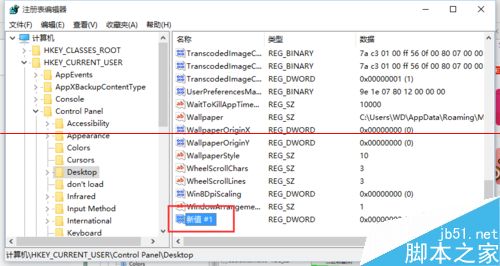
預設等待時間過長導致「程式無回應」提示延遲,可修改登錄檔縮短等待。
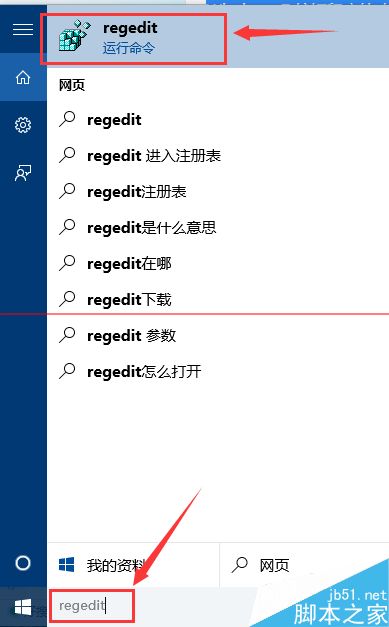
regedit
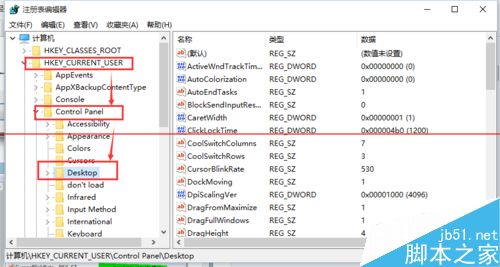
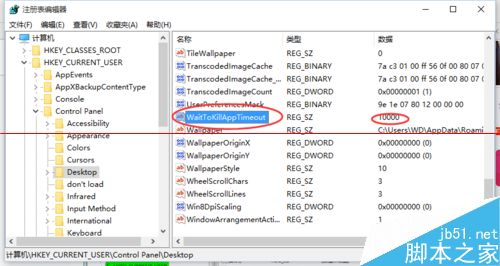
HKEY_CURRENT_USER\Control Panel\Desktop
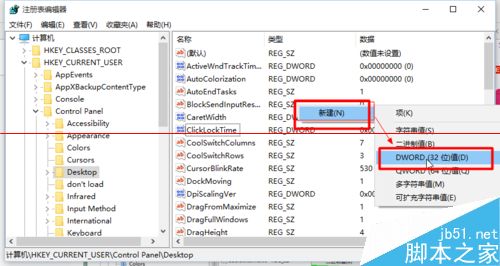
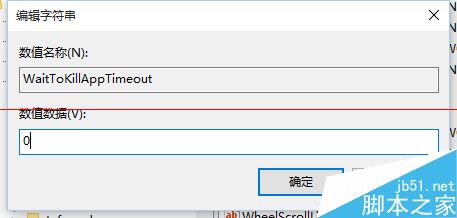
WaitToKillAppTimeout
10000
0
修改後程式無回應將更快被終止,減少系統假死感覺。
Windows 7 設定檔案預設開啟程式:解決雙擊開錯軟體問題
Win10 Build 10537 鏡像洩露:UI 微調、商店應用新動畫、圖示更新
解決 Windows 7 無法使用網路銀行與支付寶:修正金鑰容器路徑
Windows 10 升級機制大解析:TH2 更新其實不是 SP1
Windows 8 關閉微軟輸入法「文字轉換錯誤」回報提示
Win10 如何管理開機啟動項?任務管理員與安全軟體雙法圖解
Win10 更新 KB3081424 失敗怎麼辦?手動下載安裝補丁的兩種方法完整教學
Win10 專業版 14279 郵件應用程式支援拖曳附件教學