Win10 安裝後右鍵選單缺少「新增」項目,修復登錄檔:
regedit → HKEY_CLASSES_ROOT\Directory\Background\shellex\ContextMenuHandlers\New{D969A300-E7FF-11d0-A93B-00A0C90F2719} (原為 E7DF)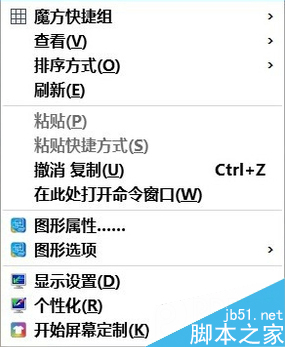
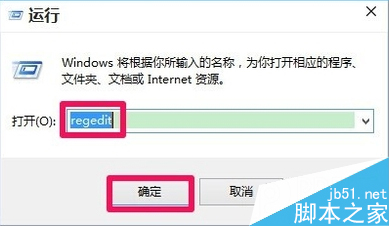
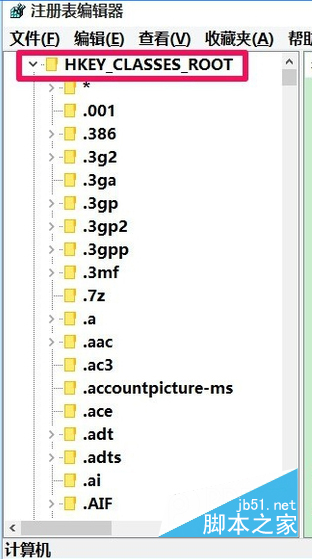
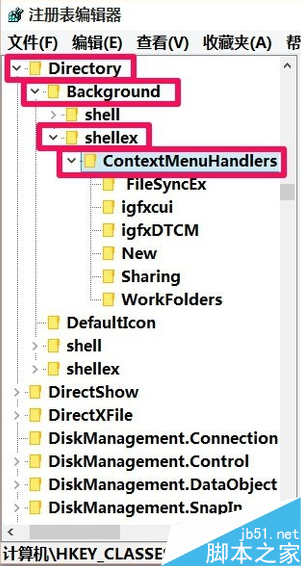
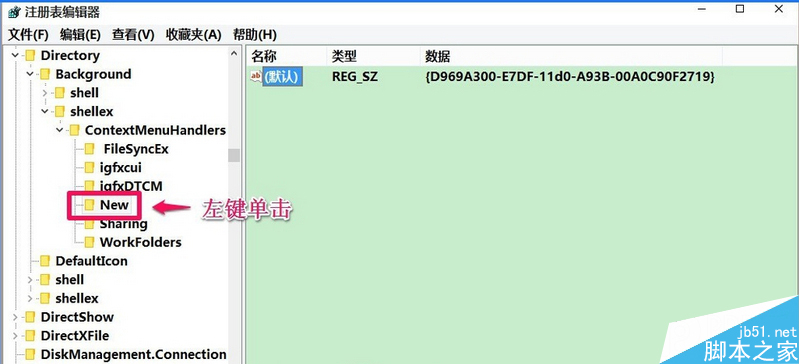
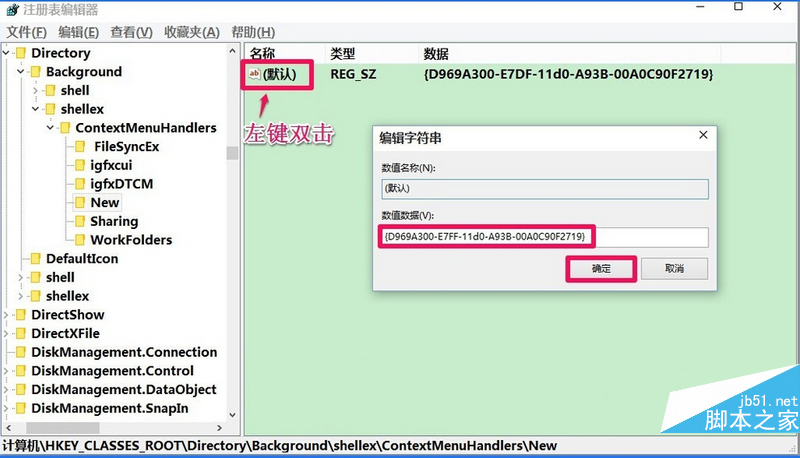
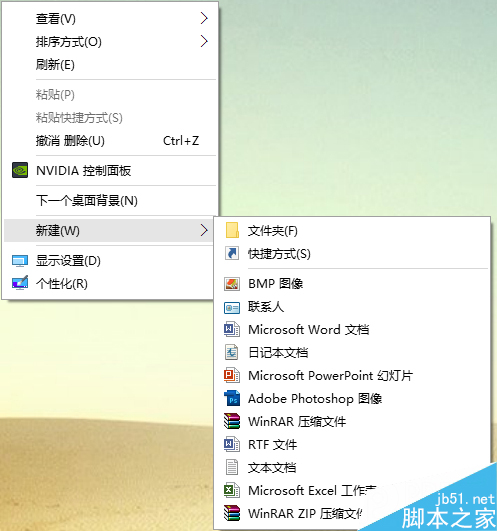
修改單一 GUID 即可恢復右鍵新增功能。
Win10 周年更新 RTM 版本號猜測:或定為 14400?符合微軟慣例可被 16 與 400 整除
Win10 雙擊 DWG 出現「向程式傳送命令失敗」?登錄檔停用 EnableLUA 即可修復(附副作用說明)
Win10 筆電開啟快速啟動仍開機慢?升級 Build 10240 映像 + 開啟「提供其他產品更新」多次重啟修復
認識 Windows 10 新功能從「入門」App 開始:官方互動式教學
Win10 如何刪除 pagefile.sys(虛擬記憶體檔案)?系統進階設定勾選自動管理即可移除
XP 執行程式提示「Access Violation At Address 00401FF7」解決:資料執行保護 (DEP) 例外設定