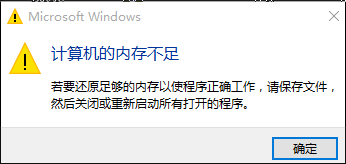
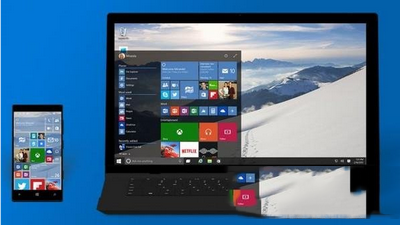
Win10 記憶體充足卻提示「記憶體不足」並伴隨閃爍/花屏,實為顯存不足:
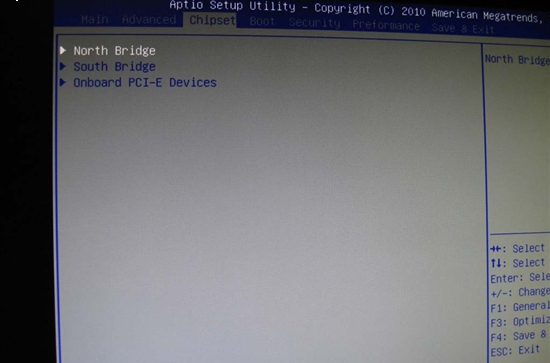
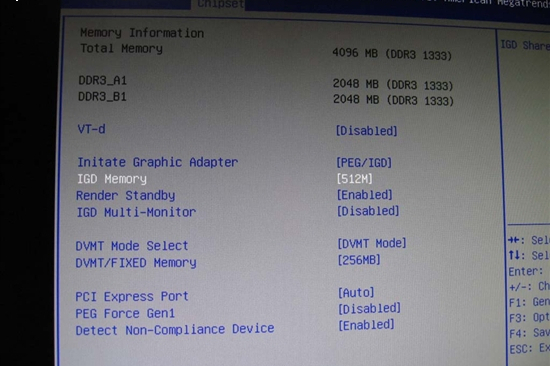
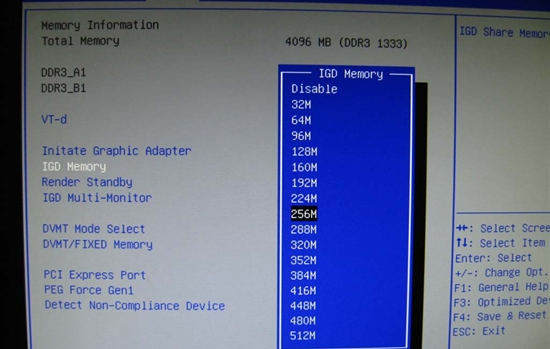
BIOS 設定 IGD Memory 步驟:
Chipset → North Bridge
IGD Memory
同 70546 內容,針對顯存不足誤報記憶體不足的完整解決方案。
WinXP 建立直接纜線連線,兩台電腦快速互聯共享資源
在外接 SSD 上讓 MacBook 運行 Windows 系統:Windows To Go 實戰
Win7 資料夾左側導覽窗格消失找回方法
Win10 開啟 SSD TRIM 功能提升效能與壽命:指令查詢與啟用完整教學
開發者必升 Win10 Build 10061:修復 Hyper-V、VS 崩潰、Spartan 瀏覽器問題
Win 10 Groove 音樂、電影與電視應用更新:Groove 手機版新增動態磚塊、家長控制、本地音樂指示器;電影電視新增類似推薦
Windows 10 售價揭曉:家庭版 119 美元、專業版 199 美元,免費升級優惠詳解
Win8.1 藍牙裝置提示「已停用」但服務正常?裝置管理員啟用藍牙介面卡即可