聯想 Y485P 從 Win8 升級 Win8.1 後,無線網卡(Broadcom 802.11a)出現休眠後受限、40 分鐘自動斷線。官網驅動無更新,實測更換為同廠 Broadcom 802.11g 驅動即可穩定解決。
驅動更換步驟
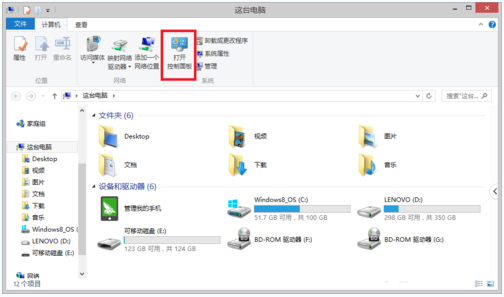
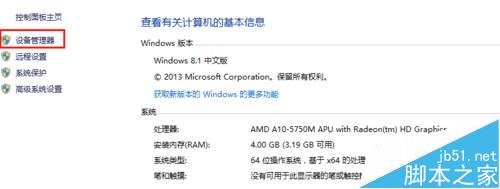
- 右鍵「這台電腦」→「內容」→ 左側「裝置管理員」。
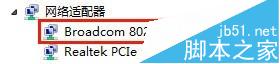
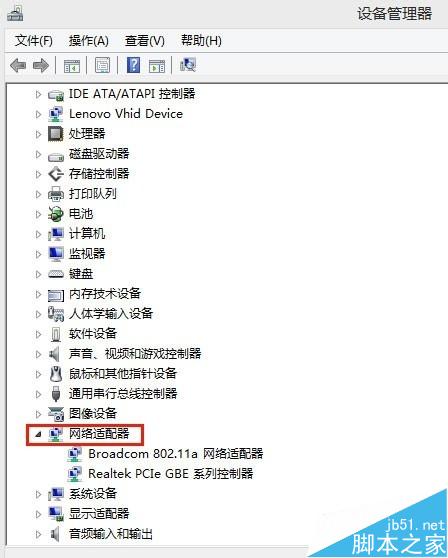
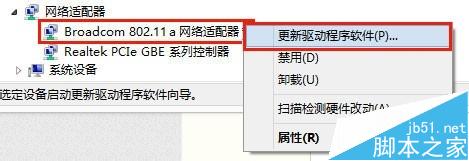
- 展開「網路介面卡」→ 右鍵 Broadcom 802.11a 網路介面卡 → 「更新驅動程式軟體」。
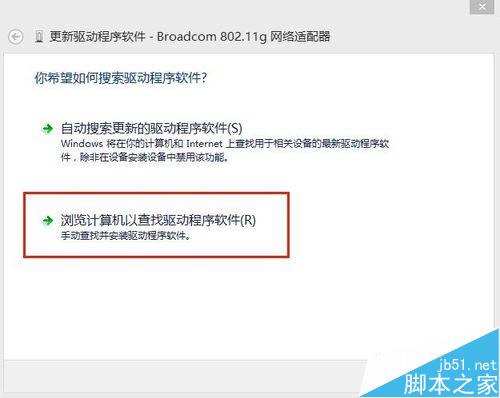
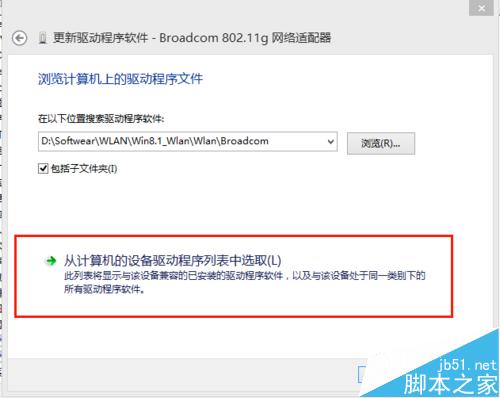
- 選擇「瀏覽電腦尋找驅動程式軟體」→「從電腦的裝置驅動程式清單中選取」。
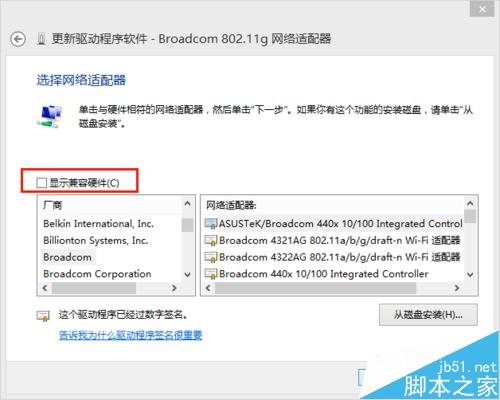
- 取消勾選「顯示相容硬體」。
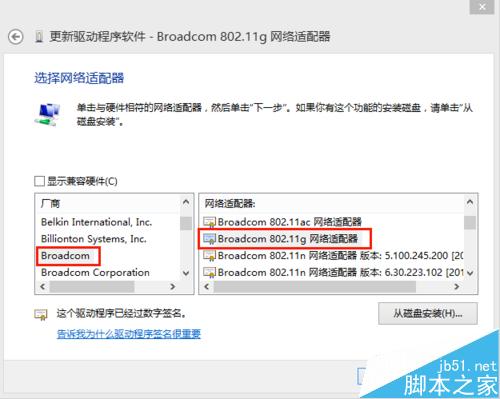
- 左側廠商選 Broadcom,右側型號選 Broadcom 802.11g 網路介面卡 → 下一步。
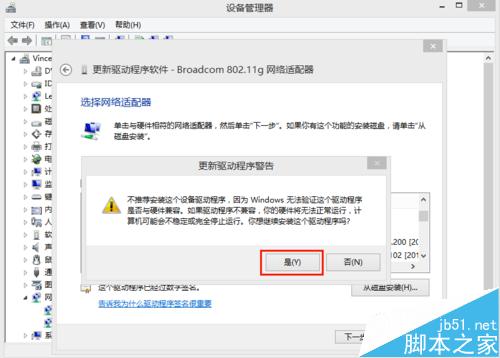
- 彈出警告選「是」強制安裝。
- 顯示「Windows 已成功更新驅動程式軟體」即完成。

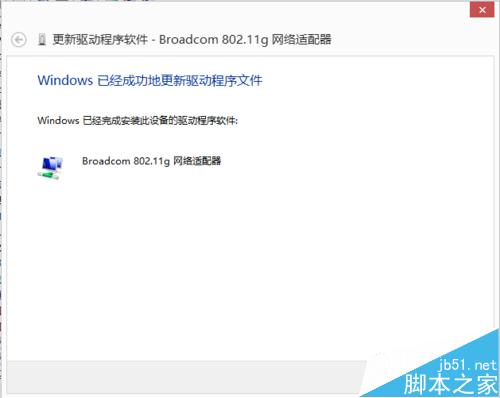
此法針對 Broadcom 晶片組筆電升級 Win8.1 後無線異常極為有效,避免頻繁斷線困擾。