Windows XP Windows 7 Windows 2003 Windows Vista Windows 綜合教學 Linux 系統教學
Windows 10 Windows 8 Windows 2008 Windows NT Windows Server 電腦軟體教學
您现在的位置: Windows教程網 >> Windows教程 >  >> Windows 綜合教學 >> 關於 Windows

Media Creation Tool 協助升級 Win10:官方工具下載與使用指南

編輯:關於 Windows

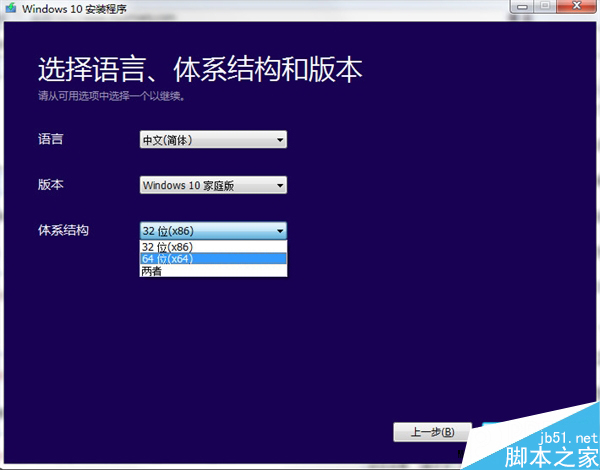
Windows 10 官方升級工具 Media Creation Tool (Windows 10 安裝程式) 除可建立 USB/DVD 安裝媒體、下載 ISO 檔,亦可直接就地升級現有系統,適合未收到推播更新的用戶主動升級。

官方下載(64 位元): https://www.jb51.net/softs/363716.html

快速升級替代方案:命令提示字元強制檢查更新

  1. 右鍵開始按鈕 → 選擇「命令提示字元(系統管理員)」。
  2. 輸入 wuauclt.exe /updatenow 按 Enter。
  3. 稍待片刻開啟「Windows Update」,應可出現 Win10 升級選項。

Media Creation Tool 使用模式

  • 立即升級此電腦:直接下載並安裝 Win10,保留檔案與應用程式。
  • 建立安裝媒體:製作 USB 隨身碟或燒錄 DVD,供其他電腦安裝或全新安裝。
  • 下載 ISO 檔案:取得完整安裝映像檔,可掛載虛擬光碟或燒錄備份。

若已透過 Windows Insider 安裝 Build 10240,僅需透過 Windows Update 安裝後續更新即可獲得正式版。

Copyright © Windows教程網 All Rights Reserved