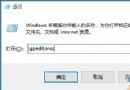
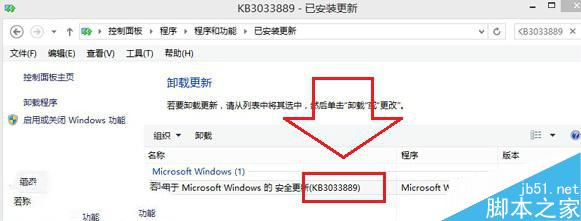
Win8.1 安装更新补丁 KB3033889 后,Alt+Tab/任务栏点击均无法切换窗口。卸载该补丁并重启即可恢复,微软后续版本已修复该回归缺陷。
KB3033889 修改了窗口管理器 (DWM) 相关组件,导致窗口 Z 序焦点切换逻辑异常。
Windows 版微信 2.3 發布:聊天記錄可備份至電腦、轉發多選會話、非系統語言文字翻譯、平板觸控優化
Win7 升級 IE 瀏覽器後開啟我的最愛/歷史記錄卡頓?重置 IE 進階設定即可解決
Win10 新補丁 KB3074681 現 Bug 控制台解除安裝程式崩潰
Win8 Wi-Fi/飛行模式開關消失變「連線不可用」?裝置管理員啟用無線網卡即可恢復
微軟開始推送 Win 10 Build 10525 快速通道更新,開啟 TH2 新一輪內測
Windows 9 預覽版發布時間表:9 月 30 日發布會、10 月公開測試
Win10 Build 9901 官方自带 5 张 4K 壁纸打包下载:百度网盘分享,含超宽 3840×1200 多屏版
Win7 螢幕截圖四大法:PrintScreen 全螢幕、Alt+PrintScreen 視窗、截圖工具、Ctrl+PrintScreen