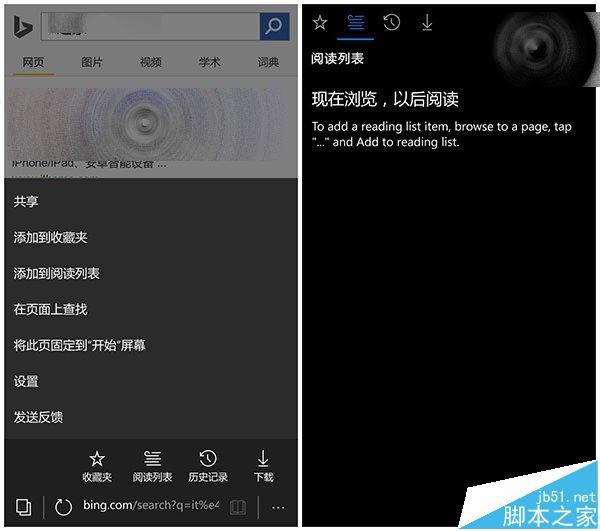
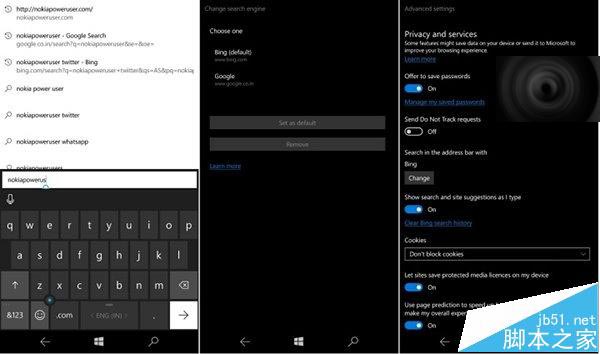
Win10 Mobile 10572 內建 Edge 瀏覽器帶來多項介面與功能更新:
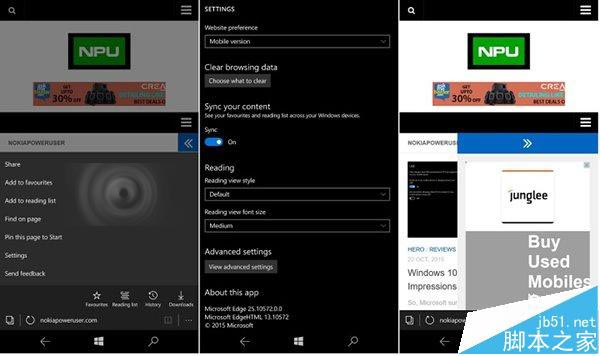
上手體驗影片:
相關推薦: Win10 Mobile 10572 六大更新匯總 / 升級後 QQ 微信無法傳圖 / 10572 升級教學(需回滾 WP8.1)
Win10 新增「微軟列印至 PDF 設定」應用:支援密碼加密、限制編輯列印複製權限,商店可下載
Win7 常用 Shell 命令大全:快速開啟系統特殊資料夾
Win10 安裝 KB3097617 失敗導致無限重開機?兩大解決方案(關閉防毒/手動安裝)
Win10 小娜 Cortana 啟用完整教學:從啟動、同意隱私到設定暱稱與微軟帳號綁定
Win10 螢幕亮度無法調整怎麼辦?三大解決方案:修改登錄、移除顯卡驅動、Windows Update 修復
Win10 移除不需的 Windows 功能釋放資源提升效能:關閉列印服務、傳真、舊版元件等