Win10 TH2 為文件右鍵菜單添加了「使用 Windows Defender 掃描」選項。習慣用第三方殺毒軟件的用戶可通過刪除註冊表項移除該條目。
regedit 進入註冊表編輯器。HKEY_CLASSES_ROOT\*\shellex\ContextMenuHandlers\EPPHKEY_CLASSES_ROOT\Directory\shellex\ContextMenuHandlers\EPP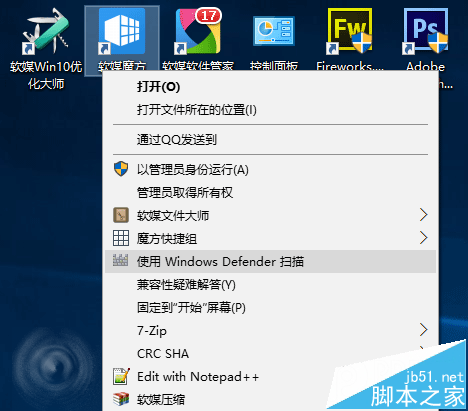
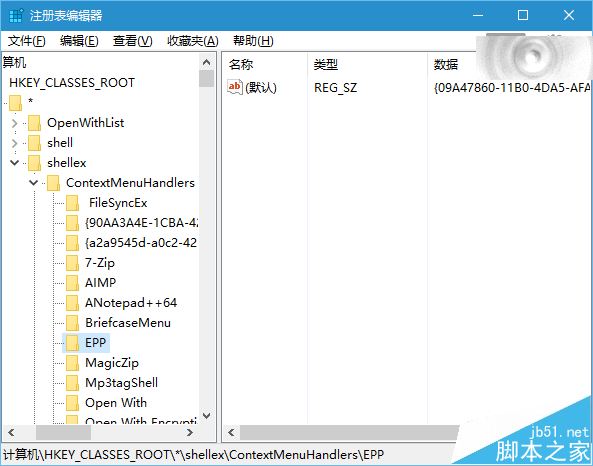
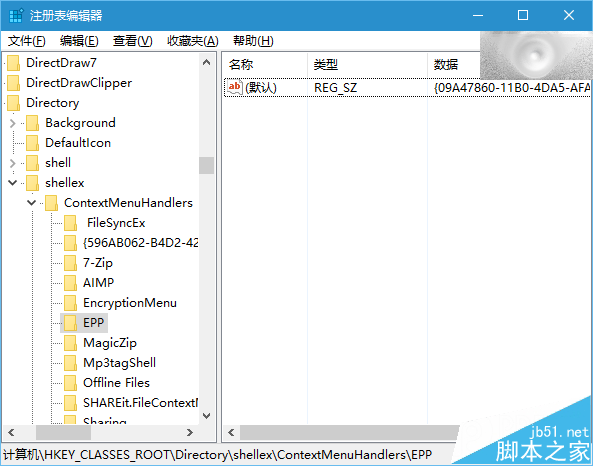
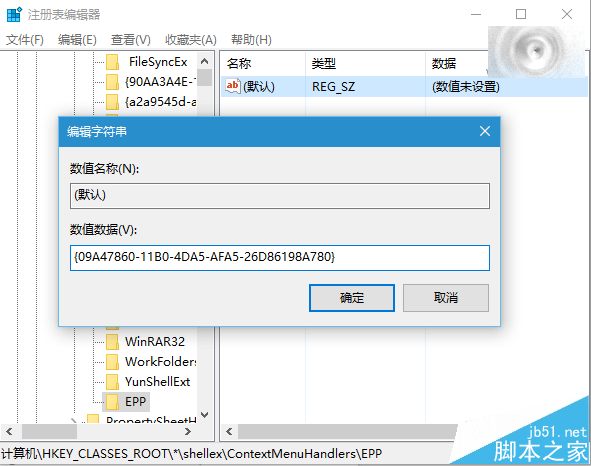
重建上述兩個 EPP 項,將「默認」字符串值設為 {09A47860-11B0-4DA5-AFA5-26D86198A780},重啟即可恢復。
建議使用軟媒魔方「清理大師」備份註冊表後再操作,防止誤刪導致系統問題。
升級 Win10 後旗魚瀏覽器亂碼?清除 DirectWrite 字體快取或停用 DirectWrite 渲染兩法修復
Win10 Xbox 應用 8 月更新:支援 1080P/60fps 遊戲串流
Win7 直接免費升級 Win10 圖文教程:微軟官網加入 Insider → 下載升級元件 → 保留檔案設定 → 享終身免費升級
Win10 開機太慢?關閉啟動等待時間 18 秒達成五星級神機
Win 8.1 使用 DISM 指令清理 WinSxS 資料夾冗餘更新
Win7 列印命令送出 30 秒後自動消失?缺少 Temp 資料夾導致,手動建立即可修復