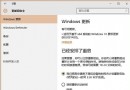
許多使用者誤以為 32 位元 Windows 7 可透過 Windows Update 直接升級為 64 位元 Windows 10,實際上完全不可行:
Autorun.exe → 選擇「硬碟安裝 Ghost Win10 到 C 槽」。前提條件:CPU 必須支援 64 位元(x64),且記憶體建議 4GB 以上。若 CPU 僅支援 32 位元,則無法安裝 64 位元作業系統。
微軟承諾 Win10 Fast Ring 每月至少一版更新:Insider 計畫負責人 Gabe Aul 親自背書
Windows 8.1 語言環境 Bug 集合:修改帳戶名稱導致中英文選單混雜
Win7 修復本地連線提示「需要清除 DNS 快取」?啟用 DHCP/DNS Client 服務 + ipconfig /flushdns 雙管齊下
Win7 更新顯卡驅動後花螢幕?卸載重裝驅動 + 驅動精靈/驅動人生一鍵修復
Win 10 正式版升不升級?優缺點深度分析與最終建議:再等待也不遲
Win10 技術預覽版用戶注意:舊版 Build 9841/9860/9879 將於 4/30 禁止啟動,請速更新