Win10 不小心把聲音改成娃娃音不知如何恢復?解決方法:
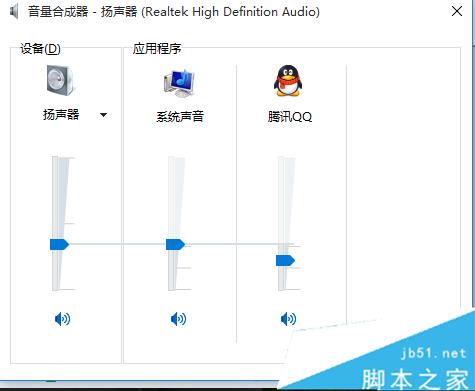
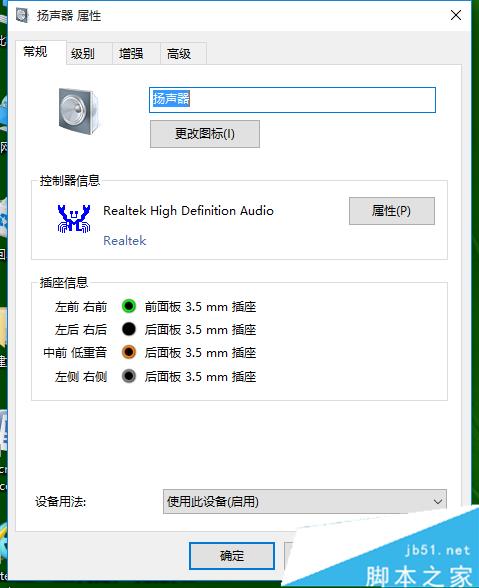
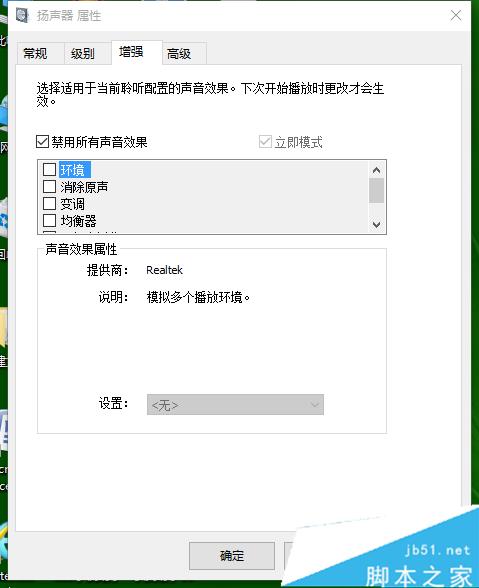
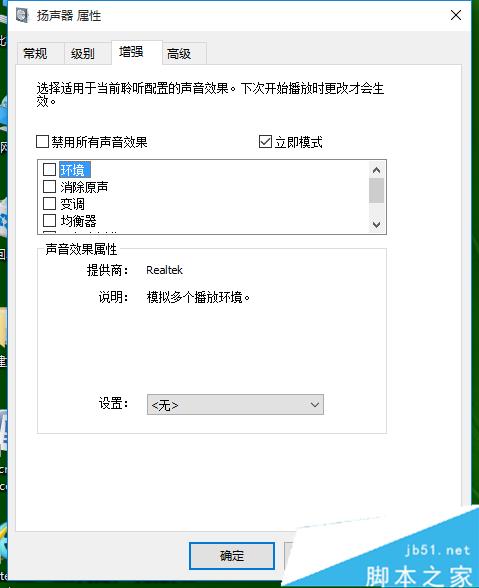
依上述步驟即可恢復正常聲音,遇到同樣問題可參考操作。
Win8.1 從 Microsoft 帳戶切換為本機帳戶登入完整教學
Win10 開始選單榮獲 ISDA 2015 設計大獎:兼顧傳統與觸控的經典回歸
Win7 效仿 Win10 更新日誌不談細節 KB3083324 僅提「改進 Windows Update 用戶端體驗」
Windows 10 Build 10130 更新釋出:修復 Outlook Mail 同步與 Wi-Fi 連線問題
Win 10 虛擬記憶體最佳化設定教學:自動管理 vs 手動調整
Win10 Insider 14986升級15002實戰記錄:多次重啟、應用重裝、新增Apps設置分類