Windows XP Windows 7 Windows 2003 Windows Vista Windows 綜合教學 Linux 系統教學
Windows 10 Windows 8 Windows 2008 Windows NT Windows Server 電腦軟體教學
您现在的位置: Windows教程網 >> Windows教程 >  >> Windows 綜合教學 >> 關於 Windows

Win10 RS1 14271 內建 Defender 離線掃毒與舊版差異:無需 USB 隨身碟即可執行

編輯:關於 Windows

Win10 RedStone 預覽版 14271 導入全新安全功能:內建 Windows Defender 離線掃毒。雖功能不新,但此版本與先前「離線模式」不同,不需外部媒體(如 USB 隨身碟)支援。
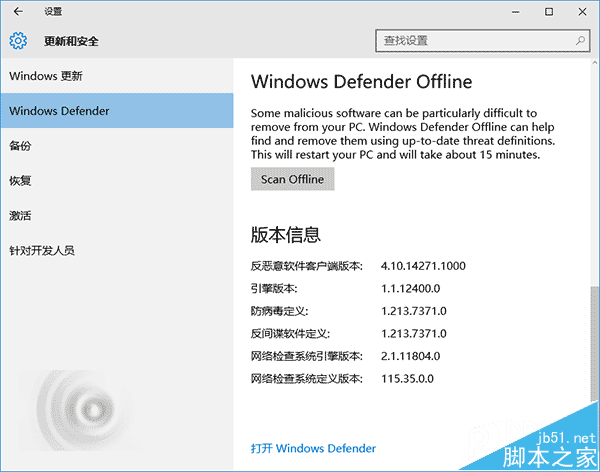
舊版「離線模式」需手動下載,Win7/8.1/10 通用。新版可在「設定」→「更新與安全性」→「Windows Defender」中進入。離線版能更無干擾查殺惡意軟體、木馬、病毒,點擊「Scan Offline」(離線掃毒)重啟後自動進入查殺模式,約 15 分鐘結束並回到桌面。
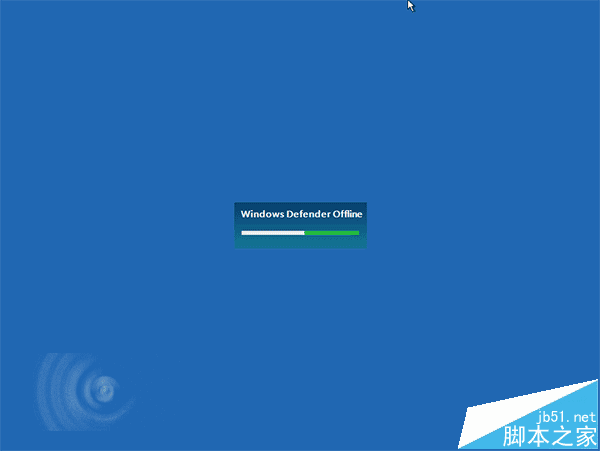
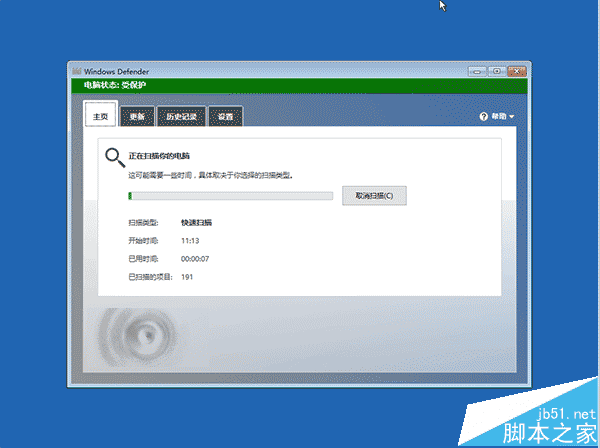
內建離線模式讓一般用戶也擁有更強大的殺毒支援,系統安全性進一步保障,第三方殺毒軟體未來恐更難生存。

相關推薦:

  • Win10 RS1 桌面預覽版 14271 如何更新?
  • Win10 RS1 預覽版 14271 新動作:控制台即將消失
  • Win10 RedStone 預覽版 14271 工作列屬性新增「設定」選項
Copyright © Windows教程網 All Rights Reserved