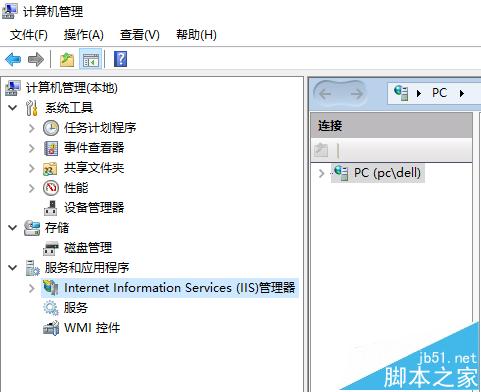
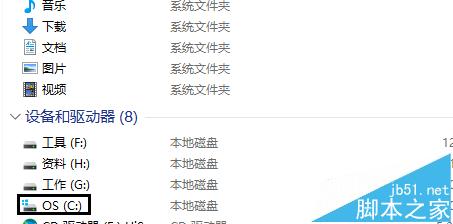
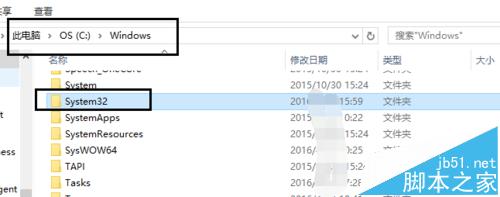
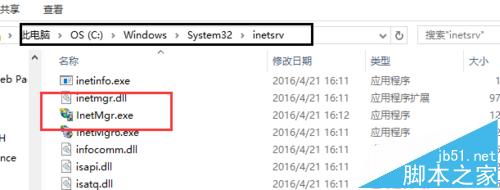
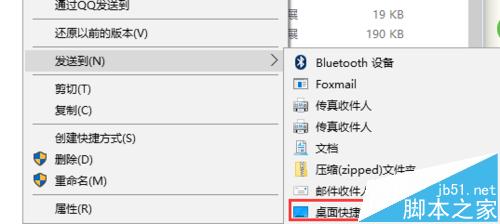
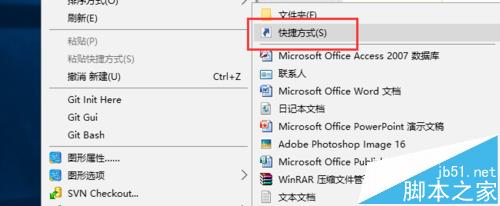
Win10 升級後 IIS 管理員捷徑消失。實際執行檔位於 C:\Windows\System32\inetsrv\InetMgr.exe,手動建立捷徑即可。
C:\Windows\System32\inetsrv\InetMgr.exe
Windows
System32
inetsrv
InetMgr.exe
兩種方法皆可快速恢復 IIS 管理員桌面捷徑。
Windows 8 HP 筆電建立「儲存空間」:控制台建立儲存池 → 選擇恢復類型 (簡單/雙向鏡像/三向鏡像/奇偶校驗) → 需符合最少硬碟數量
Win10 Build 10061 英文版 ESD 官方下載連結(需解密金鑰)
Win7 攝影機啟動失敗?更新 USB 視訊裝置驅動程式
如何立即預約並免費升級 Windows 10?官方標準流程圖文教學
32 位元 Windows 7 如何改為 64 位元?必須重新安裝系統
Win8.1 關閉應用商店自動更新步驟教學
Windows 10 Build 9860 安裝後無聲音解決方案:驅動程式不相容三大修復法 (移除/更新/官網下載)
Win10 控制台在哪?開始選單找不到?兩大最快入口:所有應用 / 右鍵開始按鈕