當防毒軟體無法清除頑固病毒,可嘗試透過登錄檔 Image File Execution Options (IFEO) 機制,將惡意程式的執行重導向至無害程式(如 systray.exe),達到「禁用」效果。本文提供操作步驟。
先用防毒軟體掃描,或開啟工作管理器(Ctrl+Alt+Del)找出可疑程式路徑(例:C:\aaa\123.exe)。
regedit,定位至:HKEY_LOCAL_MACHINE\SOFTWARE\Microsoft\Windows NT\CurrentVersion\Image File Execution Options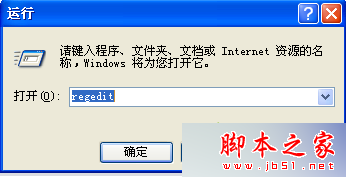
123.exe)。Debugger。Debugger,數值資料填入無害程式路徑(如 C:\Windows\system32\systray.exe 或空字串)。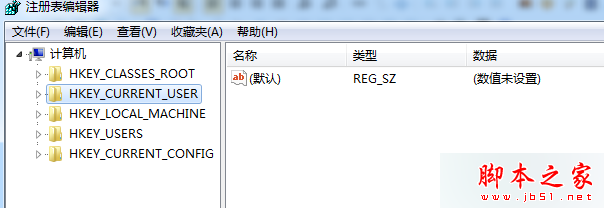
原理: 系統執行該程式時會先檢查 IFEO,若存在 Debugger 值,則改執行指定程式,達到阻擋惡意程式目的。
注意: 修改登錄檔有風險,請先備份。此法僅防止程式執行,不具備清除病毒檔案功能,建議配合防毒軟體使用。更多安全技巧請關注本站!