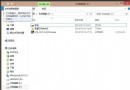
Power 服務負責電源原則管理與通知傳遞,服務損壞會導致睡眠/休眠/電源選項異常。錯誤 2 代表服務映像路徑或註冊表鍵值遺失。本文提供完整註冊表修復檔,一鍵還原服務設定。
power_fix.txt。Windows Registry Editor Version 5.00
[HKEY_LOCAL_MACHINE\SYSTEM\CurrentControlSet\services\Power]
"DisplayName"="@%SystemRoot%\\system32\\umpo.dll,-100"
"Group"="Plugplay"
"ImagePath"=hex(2):25,00,53,00,79,00,73,00,74,00,65,00,6d,00,52,00,6f,00,6f,00,74,00,25,00,5c,00,73,00,79,00,73,00,74,00,65,00,6d,00,33,00,32,00,5c,00,73,00,76,00,63,00,68,00,6f,00,73,00,74,00,2e,00,65,00,78,00,65,00,20,00,2d,00,6b,00,20,00,44,00,63,00,6f,00,6d,00,4c,00,61,00,75,00,6e,00,63,00,68,00,00,00
"Description"="@%SystemRoot%\\system32\\umpo.dll,-101"
"ObjectName"="LocalSystem"
"ErrorControl"=dword:00000001
"Start"=dword:00000002
"Type"=dword:00000020
"ServiceSidType"=dword:00000001
"RequiredPrivileges"=hex(7):53,00,65,00,54,00,63,00,62,00,50,00,72,00,69,00,76,00,69,00,6c,00,65,00,67,00,65,00,00,00,53,00,65,00,53,00,65,00,63,00,75,00,72,00,69,00,74,00,79,00,50,00,72,00,69,00,76,00,69,00,6c,00,65,00,67,00,65,00,00,00,53,00,65,00,41,00,73,00,73,00,69,00,67,00,6e,00,50,00,72,00,69,00,6d,00,61,00,72,00,79,00,54,00,6f,00,6b,00,65,00,6e,00,50,00,72,00,69,00,76,00,69,00,6c,00,65,00,00,00,53,00,65,00,54,00,61,00,6b,00,65,00,4f,00,77,00,6e,00,65,00,72,00,73,00,68,00,69,00,70,00,50,00,72,00,69,00,76,00,69,00,6c,00,65,00,00,00,53,00,65,00,4c,00,6f,00,61,00,64,00,44,00,72,00,69,00,76,00,65,00,72,00,50,00,72,00,69,00,76,00,69,00,6c,00,65,00,00,00,53,00,65,00,42,00,61,00,63,00,6b,00,75,00,70,00,50,00,72,00,69,00,76,00,69,00,6c,00,65,00,00,00,53,00,65,00,52,00,65,00,73,00,74,00,6f,00,72,00,65,00,50,00,72,00,69,00,76,00,69,00,6c,00,65,00,00,00,53,00,65,00,49,00,6d,00,70,00,65,00,72,00,73,00,6f,00,6e,00,61,00,74,00,65,00,50,00,72,00,69,00,76,00,69,00,6c,00,65,00,00,00,53,00,65,00,41,00,75,00,64,00,69,00,74,00,50,00,72,00,69,00,76,00,69,00,6c,00,65,00,00,00,53,00,65,00,43,00,68,00,61,00,6e,00,67,00,65,00,4e,00,6f,00,74,00,69,00,66,00,79,00,50,00,72,00,69,00,76,00,69,00,6c,00,65,00,00,00,53,00,65,00,55,00,6e,00,64,00,6f,00,63,00,6b,00,50,00,72,00,69,00,76,00,69,00,6c,00,65,00,00,00,53,00,65,00,44,00,65,00,62,00,75,00,67,00,50,00,72,00,69,00,76,00,69,00,6c,00,65,00,00,00,00,00
"FailureActions"=hex:00,00,00,00,00,00,00,00,00,00,00,00,03,00,00,00,14,00,00,00,02,00,00,00,60,ea,00,00,02,00,00,00,60,ea,00,00,02,00,00,00,60,ea,00,00
[HKEY_LOCAL_MACHINE\SYSTEM\CurrentControlSet\services\Power\Parameters]
"ServiceDll"=hex(2):25,00,53,00,79,00,73,00,74,00,65,00,6d,00,52,00,6f,00,6f,00,74,00,25,00,5c,00,73,00,79,00,73,00,74,00,65,00,6d,00,33,00,32,00,5c,00,75,00,6d,00,70,00,6f,00,2e,00,64,00,6c,00,6c,00,00,00
"ServiceMain"="UmpoMain"
power_on.reg → 儲存至桌面。power_on.reg → 選擇「以系統管理員身分執行」或「取得管理員權限」→ 確認匯入。匯入標準註冊表定義,快速重建 Power 服務設定,免除重裝系統之苦。